90-day small business website SEO plan: DIY tasks and a fast launch
By the OnePagey team9 min read
Summary
- Claim and finish your Google Business Profile in week one. Local results often move in 1 to 3 weeks after Google verifies you.
- Use the same name, address, and phone on your site, the Google listing, and every directory. Mismatches stall local search.
- Write titles and opening lines that answer one buyer search. Name the service, the town, and a benefit.
- Track calls from the Google listing, visits to your offer pages, and the 3 to 5 phrases a paying customer would type.
- OnePagey publishes a one-page site and a .com from a short description, so the 90-day plan can start on schedule.
Start a 90-day small business website SEO plan with five jobs: claim the Google listing, match your name and phone everywhere, make each paying search easy to find, turn on tracking, and speed up the page. Local wins on Google Business Profile can show up in a few weeks. Broader search from copy and links usually takes 3 to 6 months to add up.

Your first week: the small business website SEO checklist
Most SEO lists bury the two or three tasks that move calls under twenty that do not. Search rewards a verified business, clean tracking, and a page that answers a real buyer question. Do these in week one, in this order:
- Claim and verify your Google Business Profile. It is free and takes about 15 minutes. Google usually mails or calls a code within a few days.
- Use the same name, address, and phone everywhere. The site footer, the Google listing, Facebook, Yelp, Apple Maps, and Bing Places should match character for character. “St.” on one listing and “Street” on another makes you look like two businesses.
- Turn on Google Search Console and GA4. Search Console shows which searches already send people to you. GA4 shows what they do after they land.
- Send Google a list of your pages. In Search Console this is a five-minute job. Google can find the page instead of waiting to bump into it.
- Pick 3 to 5 money phrases. These are the searches a paying customer types before they buy, like “emergency plumber [your city]” or “custom cake orders near me.” The rest of the plan supports those phrases.
On the Google listing, fill the description, categories, hours, and service area before you tinker with anything else. In the site footer, use the same business name as the listing, the full address, and the same phone format on every view of the page.
What the clock usually looks like:
- Google listing in local results: often 1 to 3 weeks after verification
- Search Console data: 2 to 3 days after you send the page list
- First movement on money phrases: 4 to 8 weeks
- Clearer organic traffic: 3 to 6 months of steady work
Xero’s small-business marketing guide puts about 70% of effort into work that already drives revenue, before you try unproven tactics. Week one is that pile: listing, matching details, tracking, and one clear offer.
How do you fix the words on a small website?
Fix titles, headings, and the first lines so each offer answers one buyer question. This is the part of small business website SEO you control without a developer, and owners skip it because it feels like copywriting.
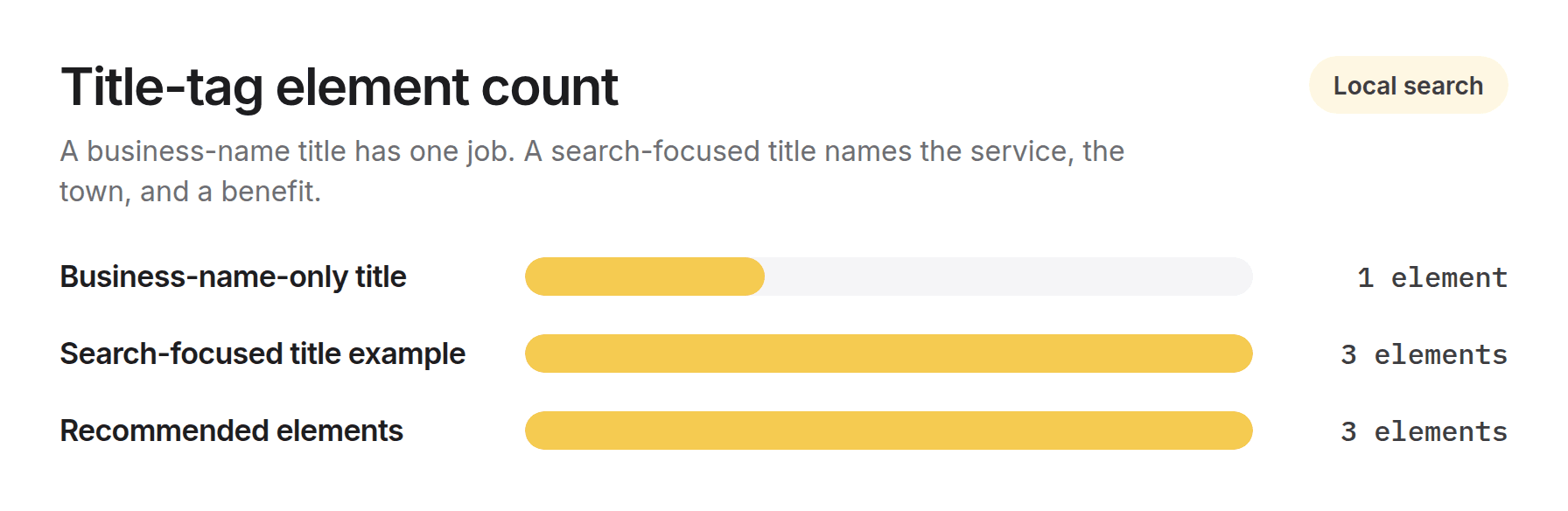
Write titles that name a real search, not only the shop name. “Home | Smith’s Auto Repair” tells Google nothing about the work or the town. “Brake Repair in Denver | Same-Day Service | Smith’s Auto Repair” names the service, the place, and a benefit, in about 60 characters. That line is the blue link in results. It has to earn the click.
Make the first 50 to 60 words a standalone answer. Google’s SEO Starter Guide tells owners to write for people first, in language Google can also read. Featured snippets and AI summaries often lift the opening lines. If someone searches “how much does a fence installation cost,” the fence offer should answer that in the first paragraph, not after three paragraphs of company history.
Give each money phrase a clear home. If you sell three core jobs, each job needs its own heading, what is included, and a way to call. On a one-page site that is a named block, not a vague “Services” sentence that lists everything in passing. A strong offer block includes:
- A specific description of the work (what is in, what is extra)
- A price cue, even “starting at” or “free estimates.” Vague pages convert worse than honest ones
- Three to five questions customers already ask on the phone
- One obvious next step, such as a tap-to-call number, near the top and again at the bottom
When you later write a tip post, point it at the offer that makes money. “Schedule an HVAC tune-up” beats “click here.” For the blocks that belong on day one, see what to put on a one-page business website. Local trades can also use the local service website checklist.
Write the first sentence as if it is the only line the reader will see. Many will not scroll. Search tools often quote that line as-is.
How do you set up Google Business Profile for local search?
Fill every field you can, then ask for reviews on a schedule. For a shop that serves a defined area, this listing often drives more calls and visits than the rest of the site.
Complete these fields:
- Business name, exactly as it appears elsewhere. Do not cram extra keywords into the name.
- Primary and secondary categories. Be specific: “Italian Restaurant,” not only “Restaurant.”
- Service area or street address, plus hours including holidays
- A short description of what you do and where, in plain language
- Products or services, with prices when you can share them
- Questions and answers, seeded with what people already ask you
Upload photos on a rhythm: the storefront or van, the team at work, finished jobs, and the interior if people visit. Listings with recent, mixed photos get more taps than a single logo from 2019.
“Near me” searches keep growing. Statista tracks how often people look up local businesses online, and a complete profile sends more visits than a sparse one. Someone searching “plumber near me” is closer to hiring than someone reading a tips post.
Reviews need a system:
- Ask right after a good job, not weeks later. A short text with a direct review link beats a verbal ask.
- Keep it short: “Thanks for choosing us. If you have a minute, a review helps other folks in [town] find us: [link].”
- Reply to every review, good or bad, within a few days.
- On a bad review, name the issue, skip the argument, and offer to make it right off the listing. Future customers read how you handle it.
Then search your business name. Confirm Yelp, Apple Maps, Bing Places, and any trade directory match the name, address, and phone on your site. Mismatched listings are a quiet reason local ranks stall.
What should a small business website publish first?
Publish one strong offer for each money phrase before you write a blog post. A post titled “5 tips for choosing a wedding photographer” cannot convert if there is no photography offer for it to point to.
- List money phrases first. These are searches with buying intent tied to work you sell. Finish those offers before anything else.
- Add longer, specific questions second. “How long does a kitchen remodel take” is narrower than “kitchen remodeling.”
- Group copy by service. A landscaper might group lawn care, hardscaping, and seasonal cleanup, with each money offer linking to two or three supporting posts.
- Pick a pace you can keep. One thorough, useful piece a week beats three thin ones. MarketerHire’s small-business SEO guide treats one strong money page plus one supporting piece a week as a pace that compounds.
- Put real FAQs on your top offers. Google can show those answers under your result, which takes more space and helps before the click. Google’s Rich Results Test checks whether those answers are marked up correctly.
Depth beats volume. One 800-word offer with price ranges, timelines, and what is included will beat five generic 300-word posts. If you are lining the content budget up with the rest of the site, see how much a small business website costs in 2026.
Which site problems quietly cost you calls?
Slow load and a broken phone view are the two technical issues most likely to cost you ranks and customers. You can fix both without a developer.
Speed work you can do yourself:
- Compress photos before you upload (under 200KB each when you can)
- Remove widgets you are not using
- Turn on caching if your host offers it
- Drop extra scripts and style files that load and never run
Google’s performance notes call for the main content to appear in about 2.5 seconds, with the layout staying put while it loads. Run your homepage and top offer through PageSpeed Insights and treat a miss as a fix, not a score to argue with.
Phone checks that take five minutes:
- Open the site on your phone and tap the number. Does it dial?
- Can you read the text without pinching?
- Does the contact form send on the phone, not only on a laptop?
Make sure Google can see the page you want people to open. Send an updated page list when you add a new offer. If two views of the same menu exist, pick one as the version to rank.
What link building works for a small business?
Skip paid link packages. Spend time on local relationships that would exist even if Google disappeared.
- Partners you already work with. A caterer you send weddings to, a landscaper who sends you fence jobs, the chamber directory. The link is a side effect of a real referral.
- A local event or youth team. Most sponsorships include a link, and the town you serve sees the name.
- Local press with a real story. A milestone, a community project, or a local angle gets covered more often than a generic “we do services” release.
- City or chamber resource pages. Many towns keep a local business list and will add you if you ask.
Reviews and local mentions do two jobs: search and trust. A customer comparing two similar shops often picks the one with more reviews and visible community ties.
Before you agree to a link swap or “guest post,” check that the site has real readers and related content. A site that will link to anyone for a fee is a risk, not a shortcut.
What should you track to know SEO is working?
Three free tools cover almost everything a small shop needs: Google Search Console, PageSpeed Insights, and GA4.
- Search Console shows the queries, your average position, and pages Google cannot open.
- PageSpeed Insights lists the specific speed issues, in order.
- GA4 shows landing pages, time on the page, and whether people call or book.
Check these each month:
- Calls and direction taps from the Google listing
- Organic visits that land on your money offers
- Position for your 3 to 5 target phrases
- Conversion rate (forms, calls, or bookings) from organic traffic
Early on, watch listing activity and impressions. Those move first. Keyword ranks and organic sessions usually take 8 to 12 weeks before a trend is clear. Review monthly. Do not panic over a single week. Ranks bounce even when you changed nothing.
A realistic 90-day roadmap for small business SEO
Foundations first, then content, then outreach. That order is one you can hit. Overnight organic results are not a plan.
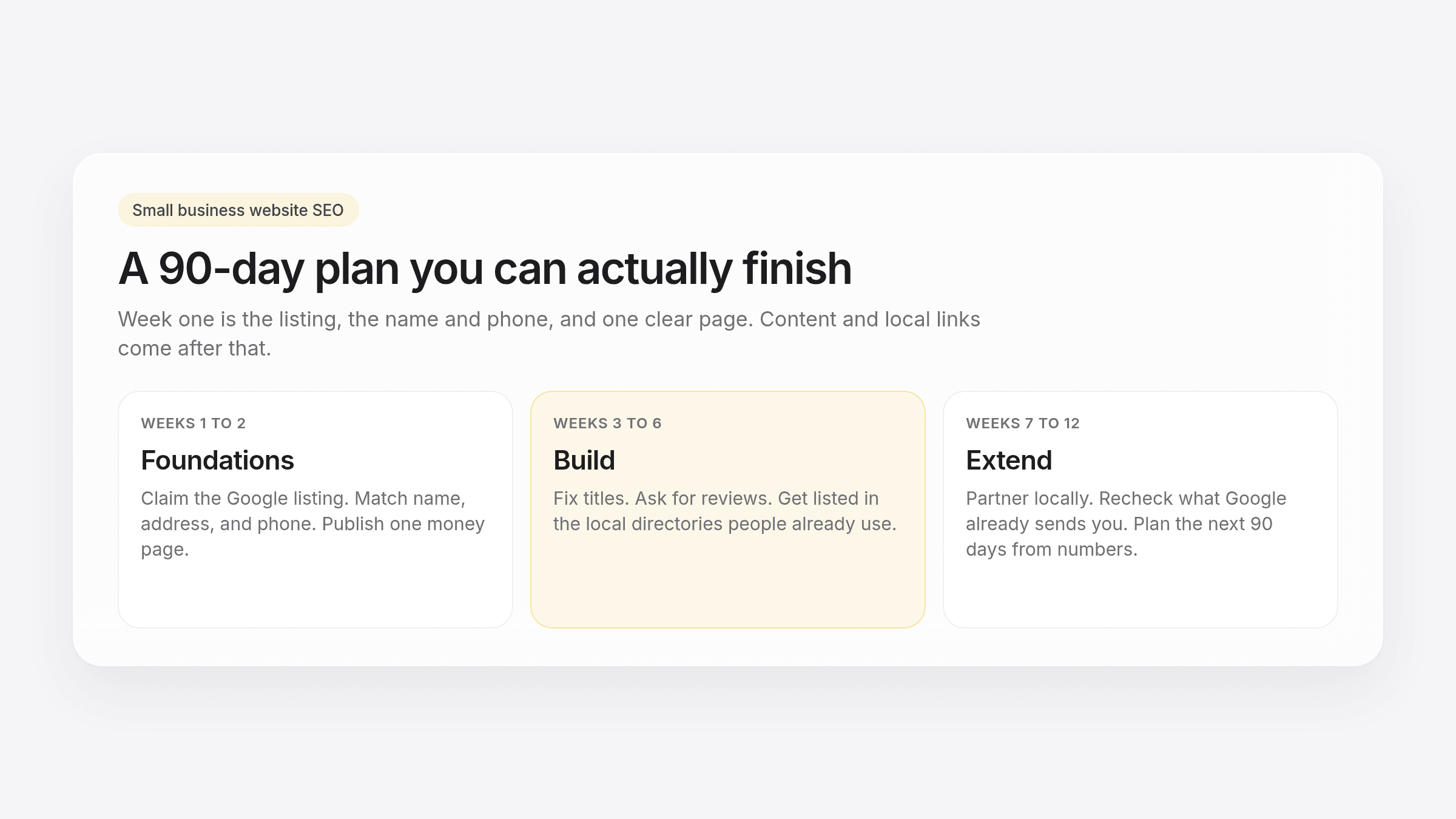
- Weeks 1 to 2: Foundations. Finish the Google listing, send the page list, publish one full money offer, and do the easy speed work (photos, caching).
- Weeks 3 to 6: Build. Add supporting copy around each offer, tighten titles and headings, start the review ask, and get listed in 5 to 10 local directories.
- Weeks 7 to 12: Extend. Pursue two or three local partnerships, reopen weak pages using Search Console, and write the next 90 days from numbers instead of guesses.
Milestones:
- End of week 2: listing live and verified, page list sent, one money offer published
- End of week 6: core offers live, review ask running, first directories corrected
- End of week 12: movement on at least one target phrase, listing calls or directions trending up, a written plan for the next quarter
Each block needs the one before it. Outreach before the offer exists wastes the ask.
Do fewer things all the way through
Owners usually stall because they start twenty tactics and finish none. Five jobs done thoroughly (the Google listing, matching name and phone, one solid money offer, tracking, speed) beat a long list done halfway.
If you finish this 90-day pass and the target phrases have not moved, or a speed issue is past a simple setting, bring in a specialist instead of guessing. If you still need the live page that week one assumes, the easiest way to get online in 2026 walks through a same-day path.
A faster way to reach step one of the roadmap
This plan assumes you have a page to improve. OnePagey builds a one-page site from a plain-English description, with domain search, registration, and hosting in the same setup. The 90-day clock can start on the listing and the copy, not on a six-week build.
Free publishes on a OnePagey address. Standard billed yearly is $99, about $8.25 a month, with your .com included while you subscribe. Monthly Standard is $9.99/mo. Premium is $12/mo billed $144, or $14.49/mo, and adds business email. If you are still stuck on the words, writing a business description for an AI website builder takes a few minutes. The 5-minute website guide covers preview and publish.
Questions about the page or plans? Visit our support page. Real people reply within one business day.
Frequently Asked Questions
How long does small business website SEO take to work?
Local visibility through Google Business Profile can improve within 1 to 3 weeks of a complete, verified listing. Broader ranking gains from copy and on-page work typically take 3 to 6 months of steady effort.
What is the highest-impact SEO task for a small business?
Completing and verifying your Google Business Profile is usually the fastest win. Local searches convert quickly, and a complete profile drives more visits than a thin one. Matching your name, address, and phone across the web is the close second.
Do I need a blog to rank a small business website?
Not in week one. Finish one clear offer per money phrase first. Add supporting posts later for the questions people ask before they are ready to buy.
How much should a small business spend on SEO?
There is no single number. It depends on the town and how much you do yourself. A useful rule from industry guidance is to put about 70% of marketing effort into proven local work before you spend on experiments.
Can I do SEO myself without hiring an agency?
Yes, especially in the first 90 days. The listing, the words on the page, and the review ask do not require code. Bring in a specialist if ranks stall after a full cycle, or if a speed issue is past a simple setting.
What does OnePagey cost, and how does it help with SEO?
Free publishes on a OnePagey address. Standard billed yearly is $99 with a .com and hosting while you subscribe. Premium is $12/mo billed $144 and adds business email. A live, editable page lets you start the listing and on-page steps in this guide the same week.
Keep reading
More guides on getting a small business online.
- How to get your website online in 5 minutes
Get a website live today with an AI-powered builder, five pieces of content, and a publish button. Filter templates by industry, or skip templates if the builder generates the layout from your description.
- The easiest way to get your small business online in 2026
Customers still expect a .com when they search for you. See what a simple AI builder should do, why one page is enough, and how to go live with a .com this afternoon.
- How to write a business description for an AI website builder
AI website builders are only as good as your description. Use this short template so your generated homepage sounds like your real business.
One-page sites by use case
If you already know the kind of work you do, start on a page written for that job.