The easiest way to get your small business online in 2026
By the OnePagey team8 min read
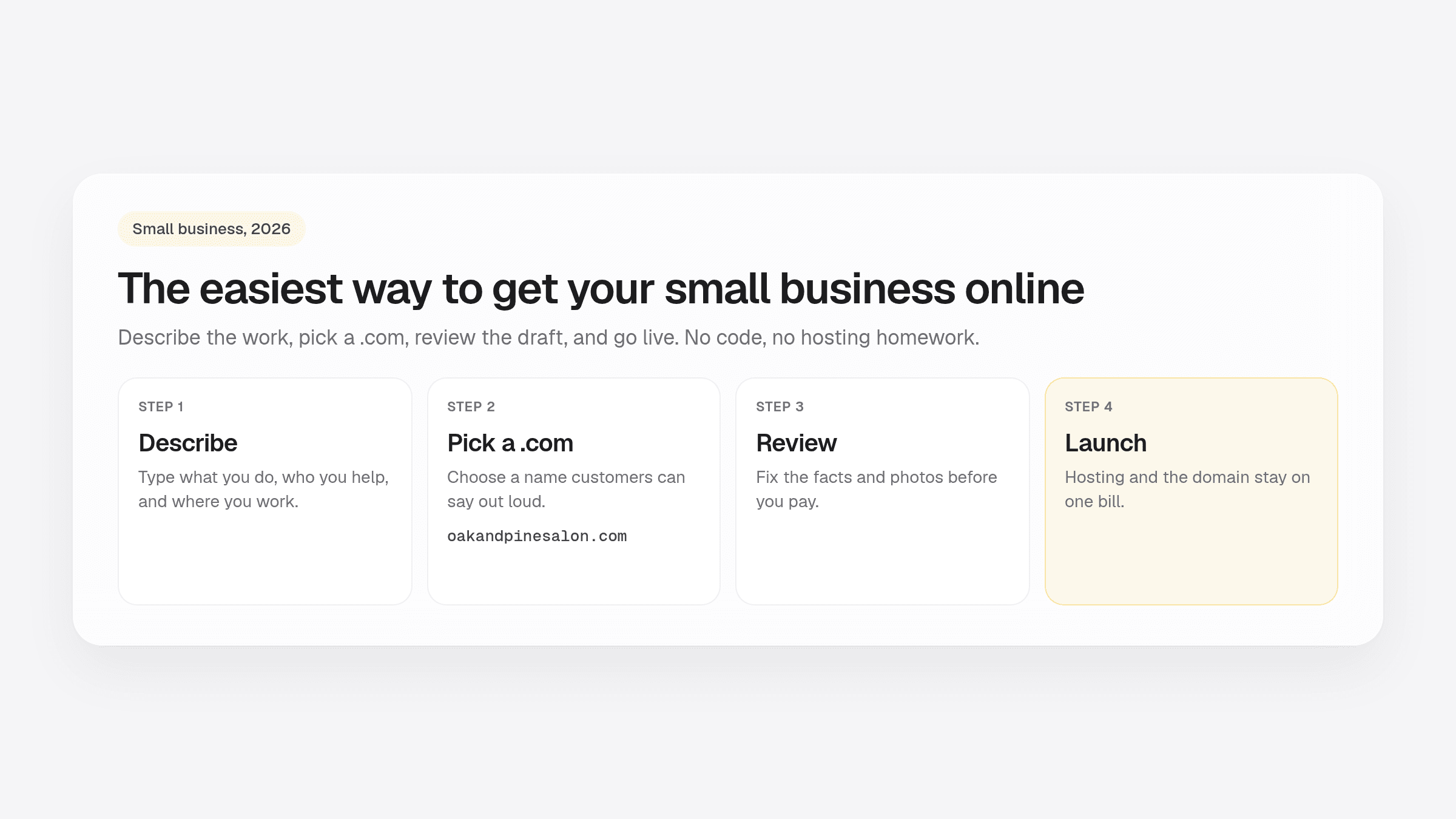
Summary
- A Facebook page is a start. Customers still expect a real .com when they search for you.
- A simple builder drafts the page, handles the domain, runs hosting, and lets you edit before you pay.
- AI builders start from your description, so you edit a draft that already sounds like your business.
- One page is enough for most owners: who you are, what you do, where you work, and how to reach you.
- OnePagey drafts a one-page site, includes a .com, lets you preview, then you publish.
The easiest way to get your small business online in 2026 is to do it this afternoon, not after you learn hosting or hire someone. An AI website builder can take you from a short description to a live .com in the same sitting. A real website still matters, a builder is only simple if it handles the domain and hosting, and you can launch without writing code.
If you already know you want the short path, read how to get a website online in 5 minutes. If you are still deciding what belongs on the page, start with what to put on a one-page business website.
Why a Facebook page is not enough anymore
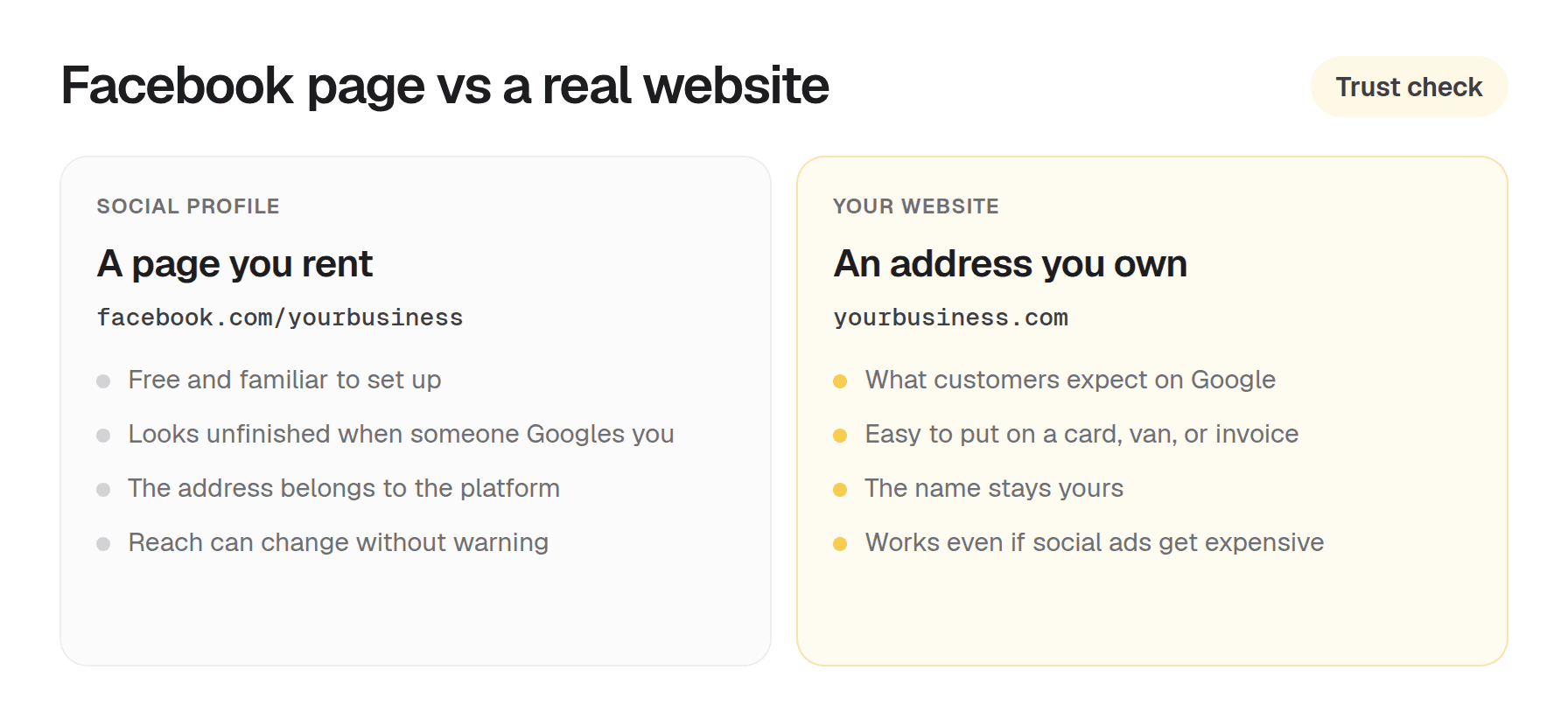
A lot of owners start with a Facebook page. It is free, it is familiar, and it takes about ten minutes. That used to be enough. Customers have gotten pickier.
When someone searches for a plumber, a dog groomer, or a bookkeeper, they expect a proper website. If all they find is a Facebook page, they wonder whether you are still operating. Some will not even call. Sending a Facebook link instead of a .com costs you a little credibility. In a local market, those little hits add up.
A real website also gives you something a social profile never can: an address that belongs to you. Your domain stays yours. It does not change when a platform tweaks its feed or starts charging more for reach. For the longer version of that choice, see whether you need a custom domain.
What makes a website builder actually simple
Marketing copy loves the word “simple.” Simple for a developer and simple for someone who runs a landscaping company are not the same thing.
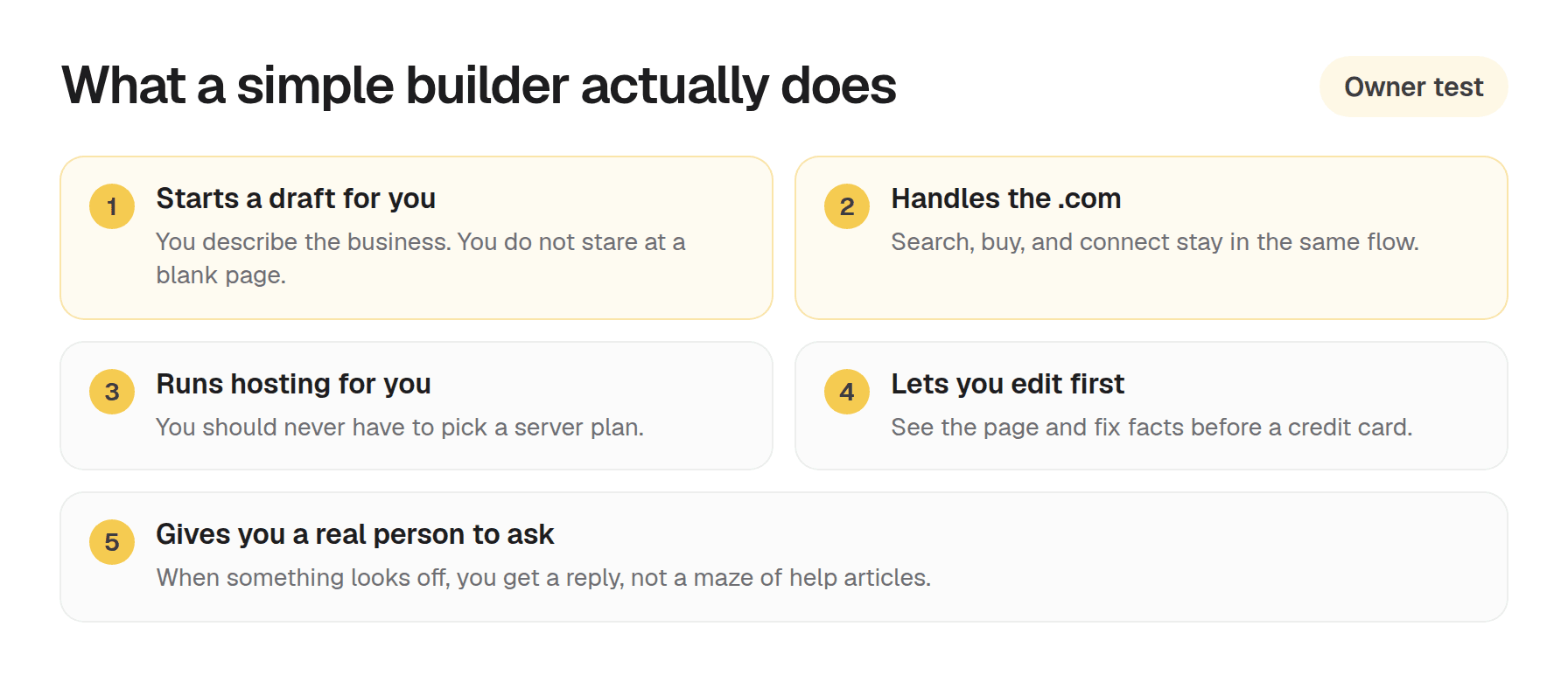
A genuinely simple website builder for small business owners should do all of this without making you figure it out:
- Generate a starting point. You should not stare at a blank canvas. Describe the business and get a real draft back.
- Handle the domain. Searching for an available .com, buying it, and connecting it to your site is a pile of steps most people have never done. A good builder does that for you.
- Manage hosting. You should not need to know what a server is, let alone configure one.
- Let you edit before you commit. Seeing the site and fixing facts before a credit card is a basic courtesy. Not every builder offers it.
- Give you a real human to ask. When something looks wrong, a support team that replies matters more than a long help center.
If a builder makes you pick a hosting plan, install software, or learn how to connect a domain by hand, it has already failed the simplicity test for most owners.
How AI website builders changed the starting line
Traditional builders gave you templates. You picked one, then spent an evening swapping placeholder text and stock photos. The result often still looked like a template.
AI website builders work differently. You describe the business in plain English (what you do, where you are, who you serve) and the tool generates a site around that description. The copy sounds like you. The structure fits the kind of work you do. You are editing something that already looks like your business, not building from scratch.
That shift matters most if you do not have hours. A solo electrician, a freelance photographer, a new consulting practice. None of those owners have a spare afternoon to wrestle with a drag-and-drop editor. Starting from an AI draft cuts that time down to minutes.
What to look for when you want to get your small business online
Not every AI builder is built for the same person. Some are for startups testing a product idea. Others are for designers who want help moving faster. If you just need to get your small business online, prioritize these.
Domain included, no extra steps
Some tools generate a site and leave the domain to you. That means another account, another payment, and another set of instructions for connecting the two. Look for a builder where the domain is part of the package. Searched, registered, and connected for you.
Edit before you pay
You should see the site and make changes before you enter a payment method. That lets you confirm the draft got the business right. Paying first and editing later is backwards.
Free, Standard, and Premium
OnePagey Free goes live on a OnePagey address. Standard includes the .com while you are subscribed. Premium adds hello@yourdomain business email.
Managed everything
Hosting, security, and updates should not land on your plate. A builder aimed at small business owners handles that in the background, so you never have to think about it.
Getting online with OnePagey: how it works
OnePagey was built for the owner described above. The path is description to live website, without technical homework.
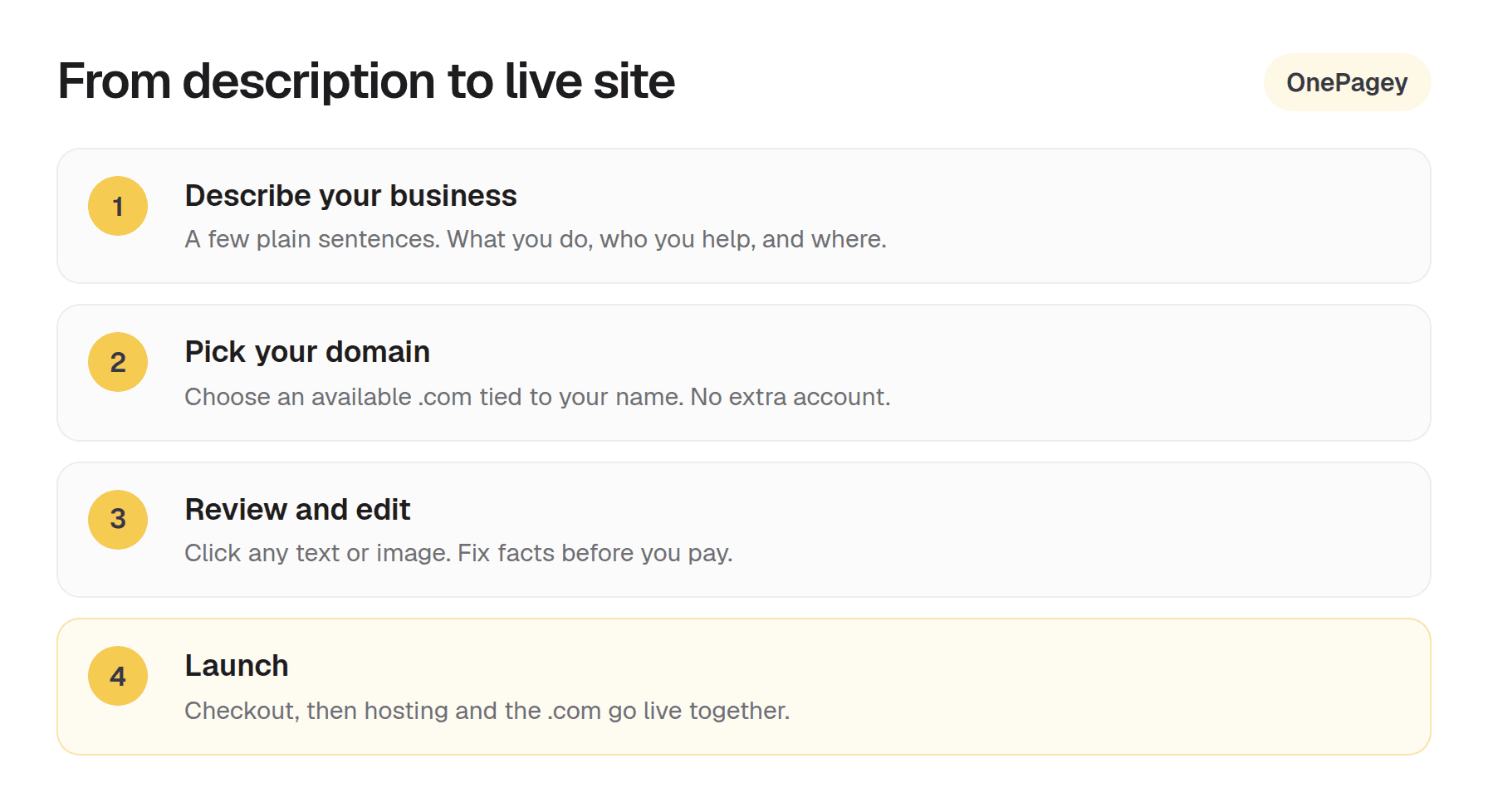
- Describe your business. Type a plain-English description of what you do. No category trees to click through.
- Pick your domain. OnePagey searches for available .com names tied to your business. You pick one you like.
- Review and edit. The AI generates your one-page site. Click any text or image and change it before you pay.
- Launch. When it looks right, choose Free or a paid plan. Free goes live on a OnePagey address. Standard and Premium register the .com in your name and set up hosting.
Choose Free or a paid plan when the draft looks right. The domain on Standard and Premium is registered in your name. Real people reply from support before, during, and after launch.
You can start free. Standard billed yearly is $99, about $8.25 a month, and includes the .com while you stay subscribed. Monthly Standard is $9.99/mo. Premium is $12/mo billed $144 and adds business email. For the wider market ranges, see how much a small business website costs in 2026.
One page vs a full website
Some owners hesitate because a one-page site sounds too small. In practice, a well-structured one-page website covers what most small businesses need:
- Who you are and what you do
- The services you offer
- Where you are located or who you serve
- How to get in touch
Visitors do not want to click through five pages to find your phone number. A single, well-organized page loads fast, works on a phone, and gets people to contact you without a scavenger hunt. For a local service business, a consultant, or a freelancer, one page is usually the right amount of page. Plumbers, salons, and other local trades can use the local service website checklist.
A multi-page site with a blog, a portfolio, and a resources library is a project. A one-page site is a business card that works around the clock. If one clear page covers the offer, you can describe the business, review the draft, and go live.
Common reasons small business owners put this off
If you have been meaning to get a website for a while, you are not alone. These are the usual reasons owners delay, and why none of them need to hold you back.
“I don’t know anything about websites.” You don’t need to. An AI website builder handles the technical side. You describe the business.
“It’s too expensive.” A professional website with a real .com costs less per month than most business subscriptions you already pay for. The cost of not having a website, in lost credibility and missed inquiries, is almost certainly higher.
“I don’t have time.” The actual time from zero to a published website is measured in minutes, not hours. The setup you have been imagining is the old way.
“I’ll do it when things slow down.” Things rarely slow down. Every week without a website is a week where potential customers find a competitor instead.
Open OnePagey and describe the business
If you have been running without a website, or using a social profile as your main web presence, describe the business, see what gets generated, and decide if you like it before you spend anything.
You can see your site before you pay. The only thing you are using is about ten minutes.
Questions about plans? Visit our support page. Real people reply within one business day.
Frequently Asked Questions
Do I need any technical skills to use an AI website builder?
No. An AI website builder like OnePagey is built for people with no web design or coding experience. You describe your business in plain English, and the AI builds the site. The only thing you need to provide is information about the business.
What’s included when I get a website through OnePagey?
Every plan includes an AI-generated one-page website, a .com domain registered in your name while you are subscribed, managed hosting, a click-to-edit interface, and real human support. There are no feature tiers. Every plan gets everything.
Can I see my website before I pay?
Yes. OnePagey lets you review and edit your site before you enter any payment information. You can change text and images until you are happy with how it looks, then check out when you are ready.
Is a one-page website enough for a small business?
For most small businesses, yes. A one-page site can cover your services, location, and contact details in a clean, fast-loading format that works on a phone. It gives customers everything they need to decide whether to get in touch.
How long does it take to get a small business website live?
With an AI website builder, the process from description to published site takes minutes. You describe the business, pick a domain, review the generated site, make any edits, and launch. There is no technical setup on your end.
Why is a .com domain important for a small business?
A .com address looks professional and is what most customers expect. It signals that your business is established. Sharing a Facebook page or a free subdomain (like yourbusiness.builderplatform.com) does not carry the same weight.
What happens if I need help after my site is live?
OnePagey provides real human support before, during, and after launch. If something looks wrong or you want to make changes, you can reach out and get a response from a person, not just a help article.
Keep reading
More guides on getting a small business online.
- How to build a one page website
How to build a one page website: name, one sentence, contact, one button, and one photo. OnePagey turns that into the page. Pick a .com and publish.
- Wix vs Squarespace vs OnePagey for a simple business site
Wix and Squarespace are powerful, and easy to overbuy. See how they compare to a one-page AI builder when you only need a clear business presence.
- How to write a business description for an AI website builder
AI website builders are only as good as your description. Use this short template so your generated homepage sounds like your real business.
One-page sites by use case
If you already know the kind of work you do, start on a page written for that job.