Wix vs Squarespace vs OnePagey for a simple business site
By the OnePagey team8 min read
Summary
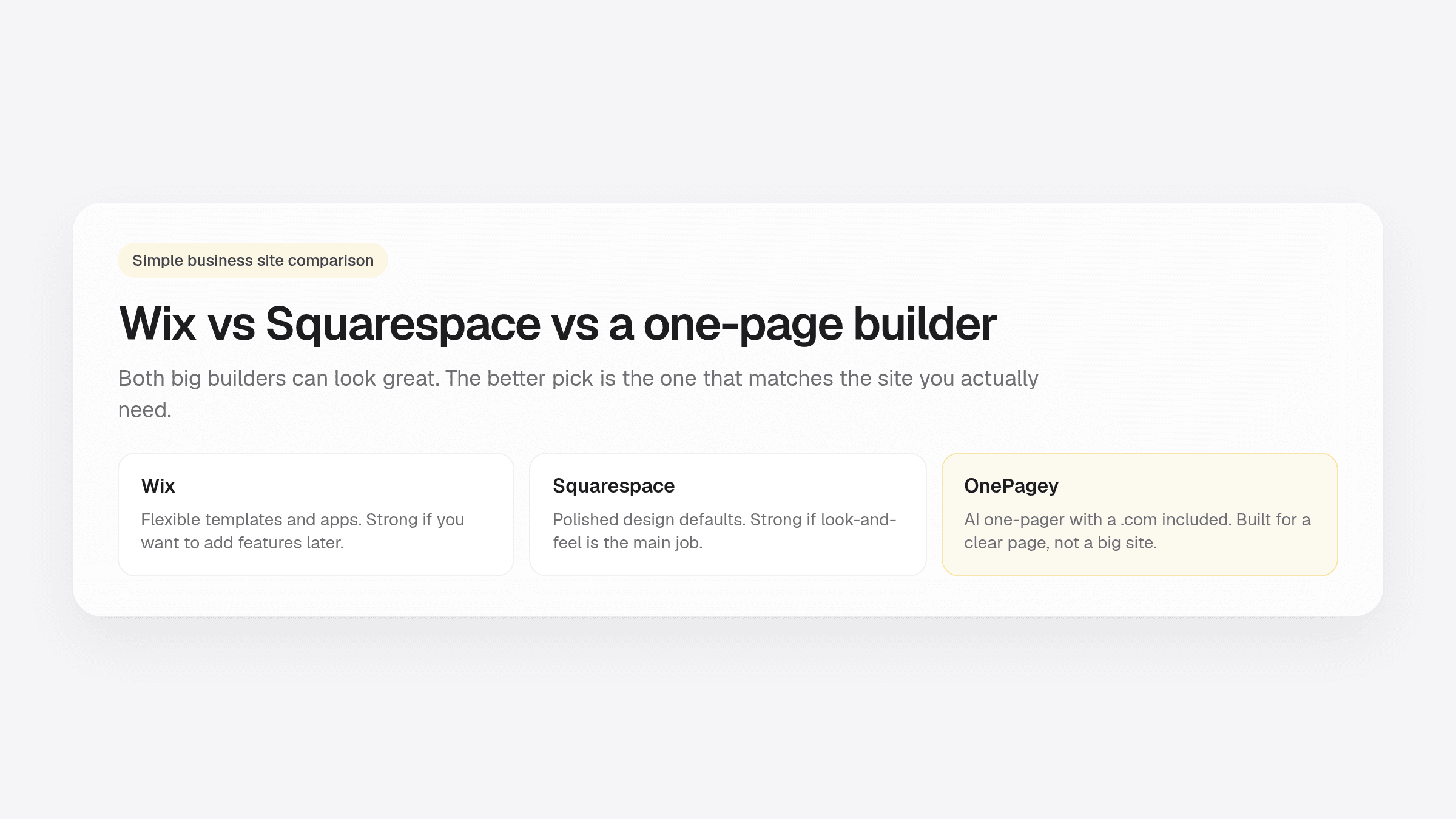
- Wix and Squarespace are both strong if you want to design a multi-page site yourself. They are easy to overbuy for a simple business page.
- Wix wins on apps and flexibility. Squarespace wins on design polish. Neither is “wrong.” They just take more time than a one-page tool.
- A one-page AI builder fits when you need a clear homepage, a contact path, and a .com.
- OnePagey Standard billed yearly is $99, with the .com included while you are subscribed. Compare year-two totals, not the first promo month.
If you are comparing Wix vs Squarespace small business plans, you are usually trying to answer one question: which tool gets a real site live without wasting a weekend?
Both can look professional. Both can also take hours of template browsing for a page that only needed your offer, your area, and a way to contact you. Below is a comparison of Wix, Squarespace, and a one-page AI builder on setup time, cost, and maintenance, so you can pick by scope instead of brand name.
For wider budget ranges, see our 2026 website cost guide. If you are still deciding between a builder and WordPress, start with website builder vs WordPress.
Who this comparison is for
This is for owners who need a simple business site: a plumber, salon, tutor, consultant, or local shop that wants customers to find the basics and call or email. You may have a Google listing already. You want something that looks finished on a phone. If you are still deciding whether to hire help, see whether you need a web designer.
What Wix is good at
Wix is a hosted builder with a lot of room to grow. You can build a one-page site on Wix. You pick a template, drag sections around, and add apps when you want booking, a store, or extra forms. There is a free plan if you only want to try the editor. Paid plans remove the builder ads and let you use your own domain.
Wix is a good fit when:
- You might add pages or apps later, and you want that door open
- You like choosing from a large template and app list
- You are fine spending an afternoon learning the editor
The trade-off is time and clutter. More options mean more decisions. New owners often bounce between templates, then wonder why a simple contact page took three hours.
What Squarespace is good at
Squarespace is also a hosted builder, with a stronger default look. Templates are more curated. Type, spacing, and image layouts tend to feel designed even before you tweak much. There is no long-term free plan. You start with a trial, then pick a paid plan.
Squarespace is a good fit when:
- Visual polish is a big part of how you sell
- You want fewer templates, and a more guided design system
- You will spend time on photos and layout, not only on copy
The trade-off is the same as Wix on the clock. You still build the pages. If you only need one clear offer and a phone number, you can overbuild a beautiful site that customers never scroll.
What a one-page builder is good at
A one-page AI builder is a narrower product. You describe the business in plain English. It drafts the homepage sections. You review the facts, swap a photo, and publish. You are not shopping 200 templates.
OnePagey is a one-page builder for that job. You enter a name and short description, pick an available domain name, then review Intro, About, Highlights, and Contact before you pay. Hosting and the domain name stay on one bill while you are subscribed.
That is the right tool when you want a simple business website: one page, a real address, and a way to reach you.
Side-by-side: setup time, cost, maintenance, and flexibility
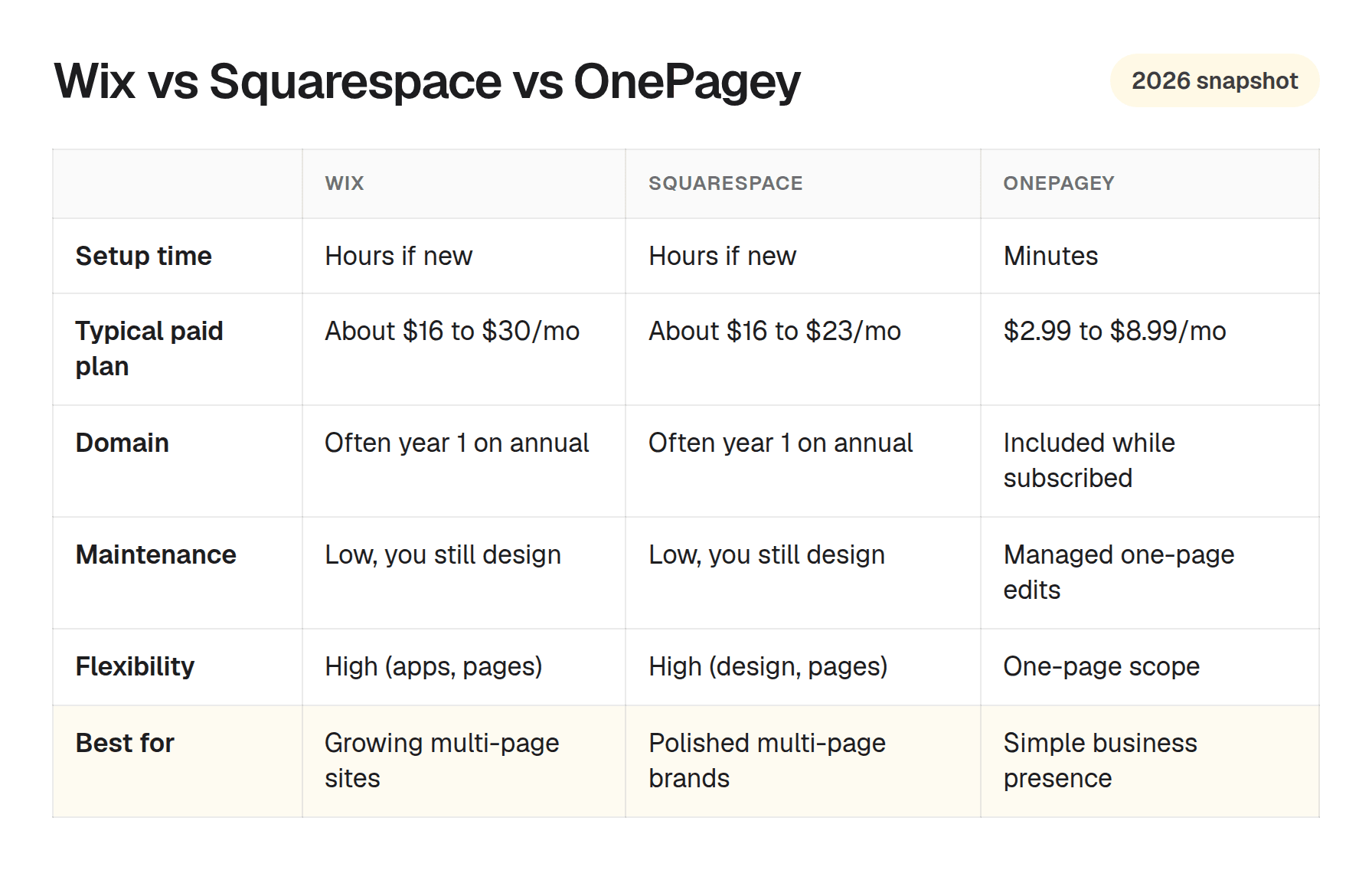
List prices move. Always check the live checkout, and add up 12 months plus domain renewal after any first-year promo. The pattern below is what most small-business owners actually feel.
| Factor | Wix | Squarespace | OnePagey |
|---|---|---|---|
| Time to a first live page | Hours if you are new | Hours if you are new | Minutes after you describe the business |
| Typical paid plan | About $16 to $30/mo on annual billing | About $16 to $23/mo on annual billing | Free to start, then Standard $99 a year or Premium $144 a year |
| Domain | Often included the first year on annual plans | Often included the first year on annual plans | Standard and Premium include a .com while you subscribe |
| Maintenance | Platform-hosted. You still own the design work. | Platform-hosted. You still own the design work. | Managed. Click text or images to edit. |
| Flexibility | High: apps, extra pages, light commerce | High: design control, extra pages, commerce plans | Focused: one-page sections, optional blocks |
| Best for | Owners who want room to grow the site | Owners who want a polished multi-page look | Owners who need one clear page live quickly |
OnePagey is priced for a one-page site. Standard and Premium include a .com while you stay subscribed. Premium adds business email on that .com. See current OnePagey plans on the pricing section.
Wix vs Squarespace for small business: pick based on scope
Brand popularity is a weak reason to choose. Plenty of good businesses run on each tool. The useful split is what you need the site to do this month.
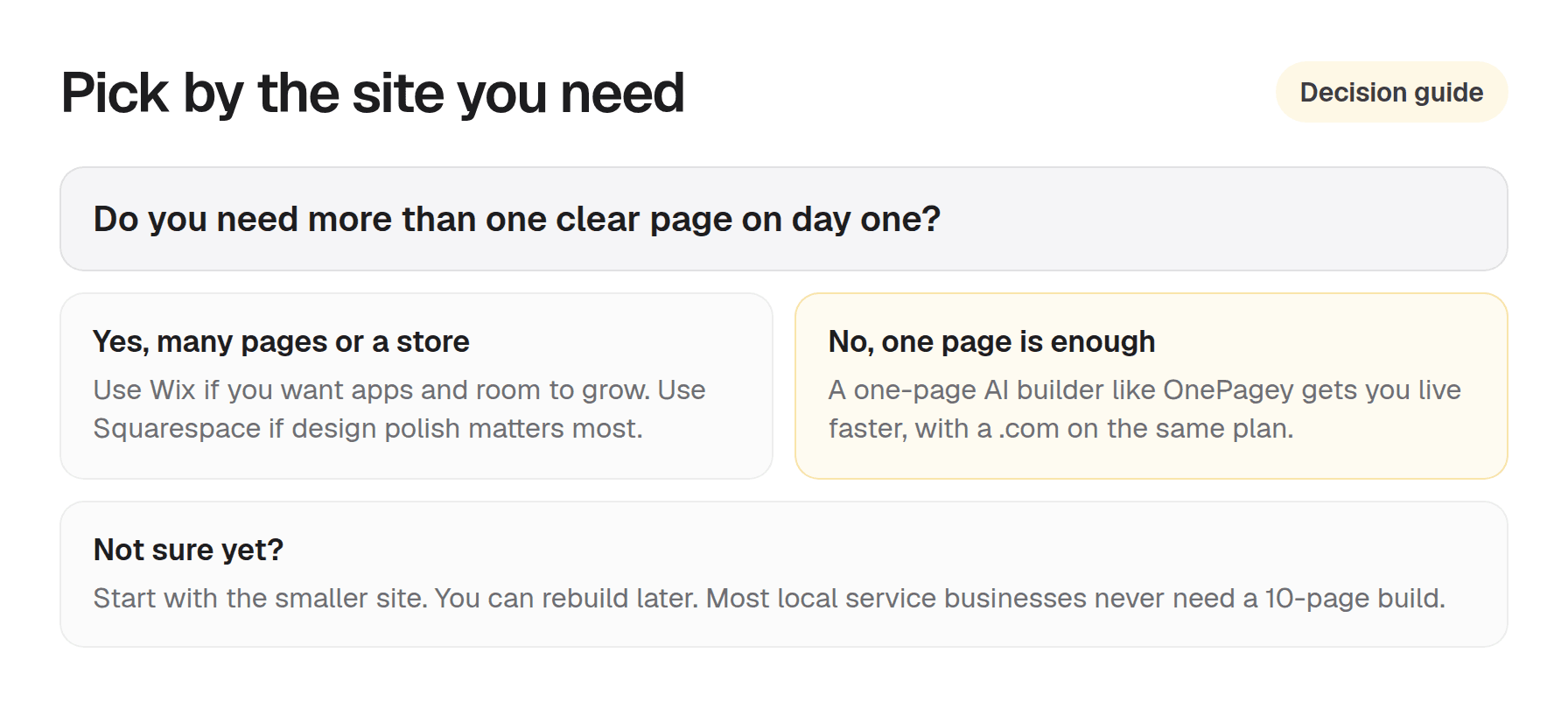
A simple rule:
- Need many pages, apps, or a store? Choose Wix if you want flexibility. Choose Squarespace if design polish is the main job.
- Need one clear page this week? Do not treat Wix vs Squarespace vs an AI builder as a style contest. Pick the smaller tool.
- Not sure? Start smaller. Rebuilding later is easier than maintaining a site you never finished.
Questions about plans? Visit our support page. Real people reply within one business day.
Frequently Asked Questions
Is Wix or Squarespace better for small business?
Both can look professional. Wix is flexible with apps. Squarespace is strong on design polish. Choose based on the site complexity you need and how much time you want to spend learning the editor.
When is OnePagey a better fit than Wix or Squarespace?
When you need one clear page live quickly. Intro, About, Highlights, and Contact. Standard and Premium include a .com. You describe the business, preview, and publish.
Which is cheapest: Wix, Squarespace, or OnePagey?
List prices change. Always check current plans and domain renewals. OnePagey Standard billed yearly is $99 with your .com. Premium billed yearly is $144. Compare year-two totals, not only the first promo month.
Can I move from Wix or Squarespace later?
You can rebuild on another platform if your needs change. Export options vary. Most small service businesses never need a complex migration if a strong one-page site covers the offer.
Do I need ecommerce features?
If you sell products or bookings online on day one, Wix and Squarespace have commerce plans. Many local services only need a credible page and a phone or email call to action.
How long does setup take on each?
Expect hours on Wix or Squarespace if you are new. OnePagey generates a draft in minutes after you describe your business, then you review the page before you publish.
Keep reading
More guides on getting a small business online.
- How to build a one page website
How to build a one page website: name, one sentence, contact, one button, and one photo. OnePagey turns that into the page. Pick a .com and publish.
- The easiest way to get your small business online in 2026
Customers still expect a .com when they search for you. See what a simple AI builder should do, why one page is enough, and how to go live with a .com this afternoon.
- How to write a business description for an AI website builder
AI website builders are only as good as your description. Use this short template so your generated homepage sounds like your real business.
One-page sites by use case
If you already know the kind of work you do, start on a page written for that job.