On Standard
Let Customers Book From Your Website
Add your services and opening hours. We send the confirmation and reminder emails.
Standard $9.99/mo, or $8.25/mo billed yearly.
How Customers Book
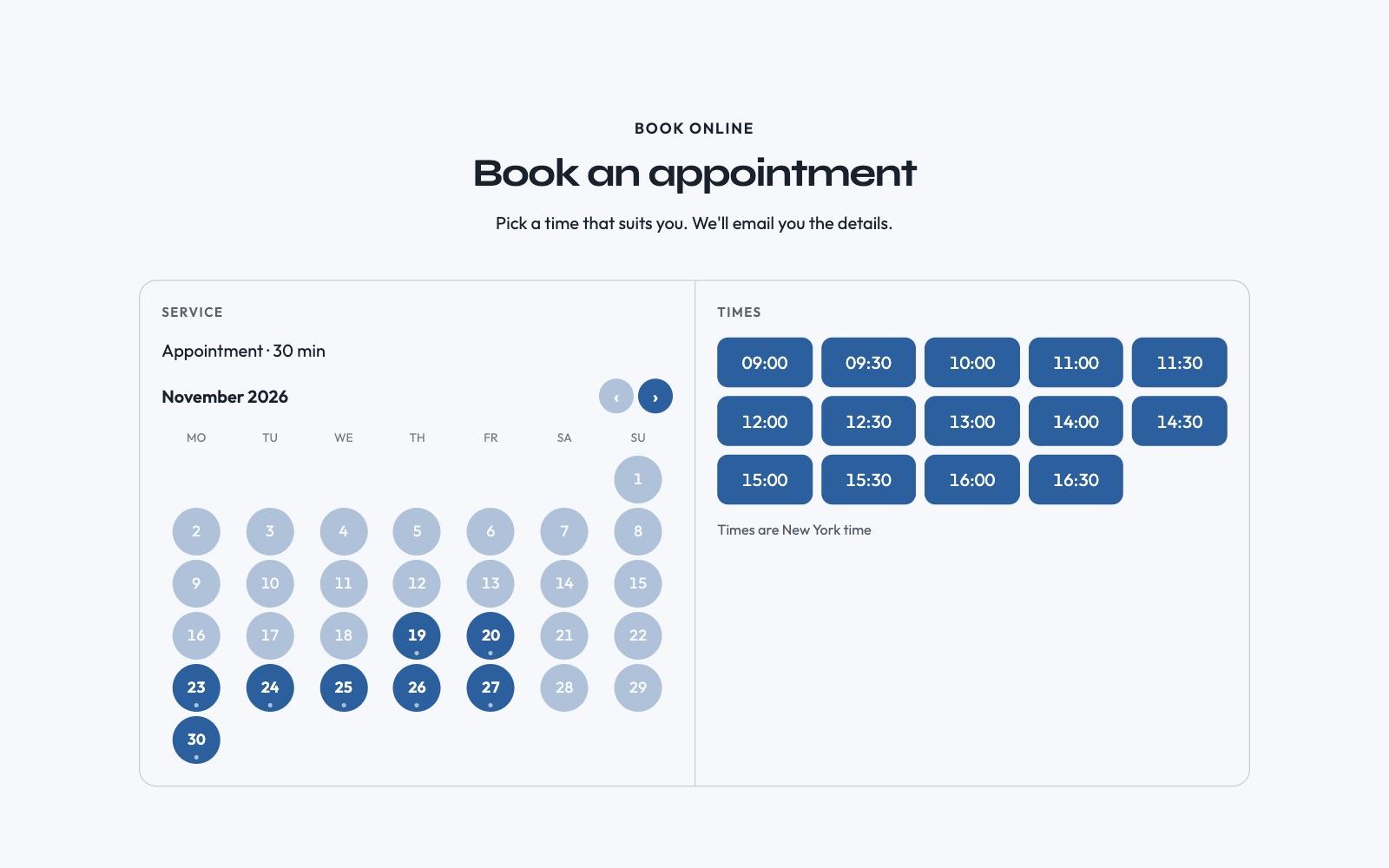
They pick a service, then a day and an open time, and enter their name, email and phone. The confirmation email comes with a calendar file.
Three Steps
- 1
Describe your business in a few sentences. We build the site.
- 2
Add your services, how long each one takes, and your hours.
- 3
Customers book from your site, and you get an email.
What You Get
- Customers choose the service, the day and an open time.
- Bookings confirm instantly, or come to you as requests to approve.
- Customers get a confirmation, and a reminder 24 hours before.
- You get an email for every new booking and cancellation.
- Customers can cancel from the link in their email.
- Block days off and busy hours from your dashboard.
Every Booking in Your Dashboard
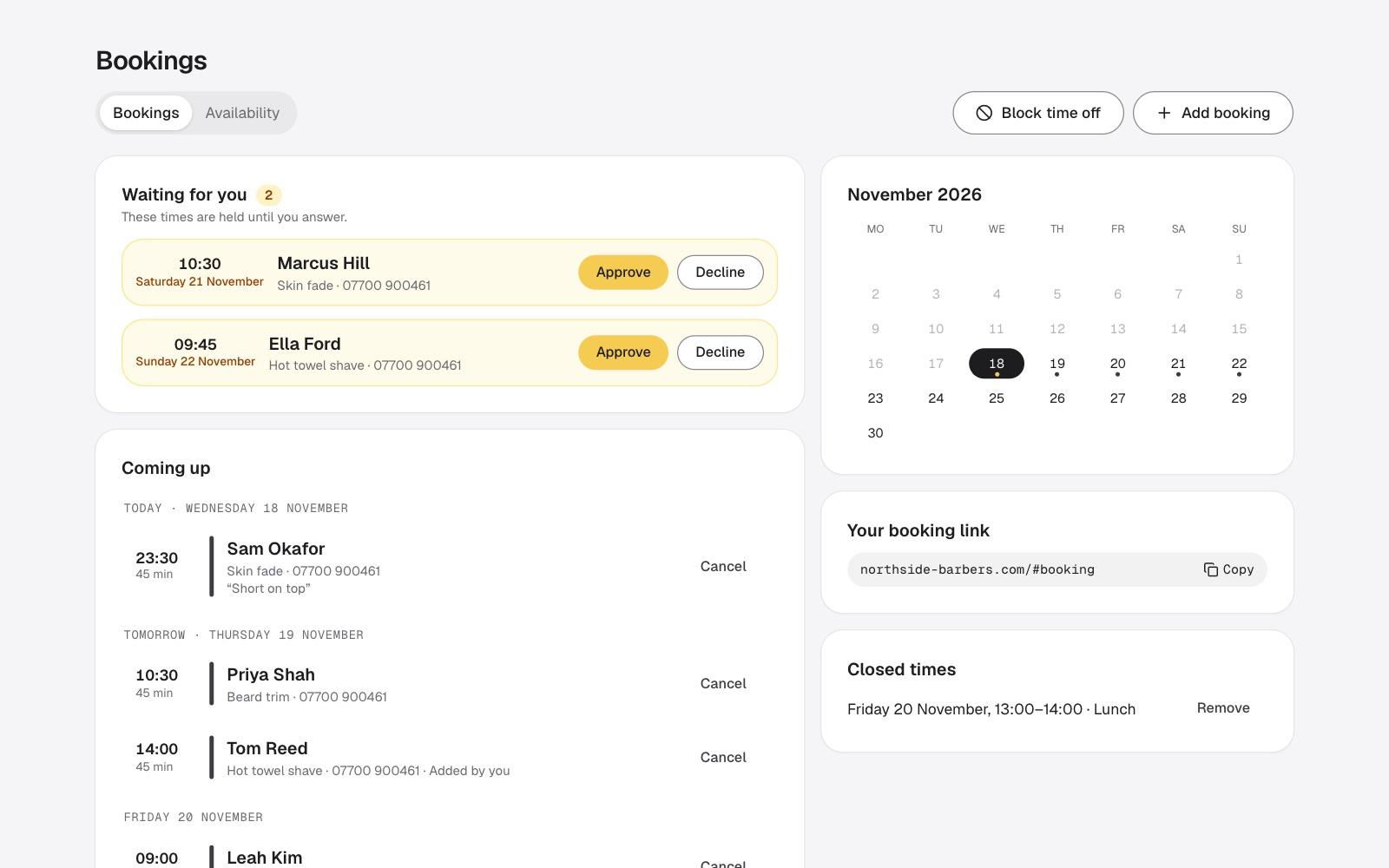
See bookings in one list. Approve them, cancel them, or add one that came in by phone.
Start Your Booking Site Today
Describe your business and see your site. Booking setup opens on the same step. Standard $9.99/mo, or $8.25/mo billed yearly.
Frequently Asked Questions.
Still have a question? Contact support.