One-page website vs multi-page website: which do you need?
By the OnePagey team7 min read
Summary
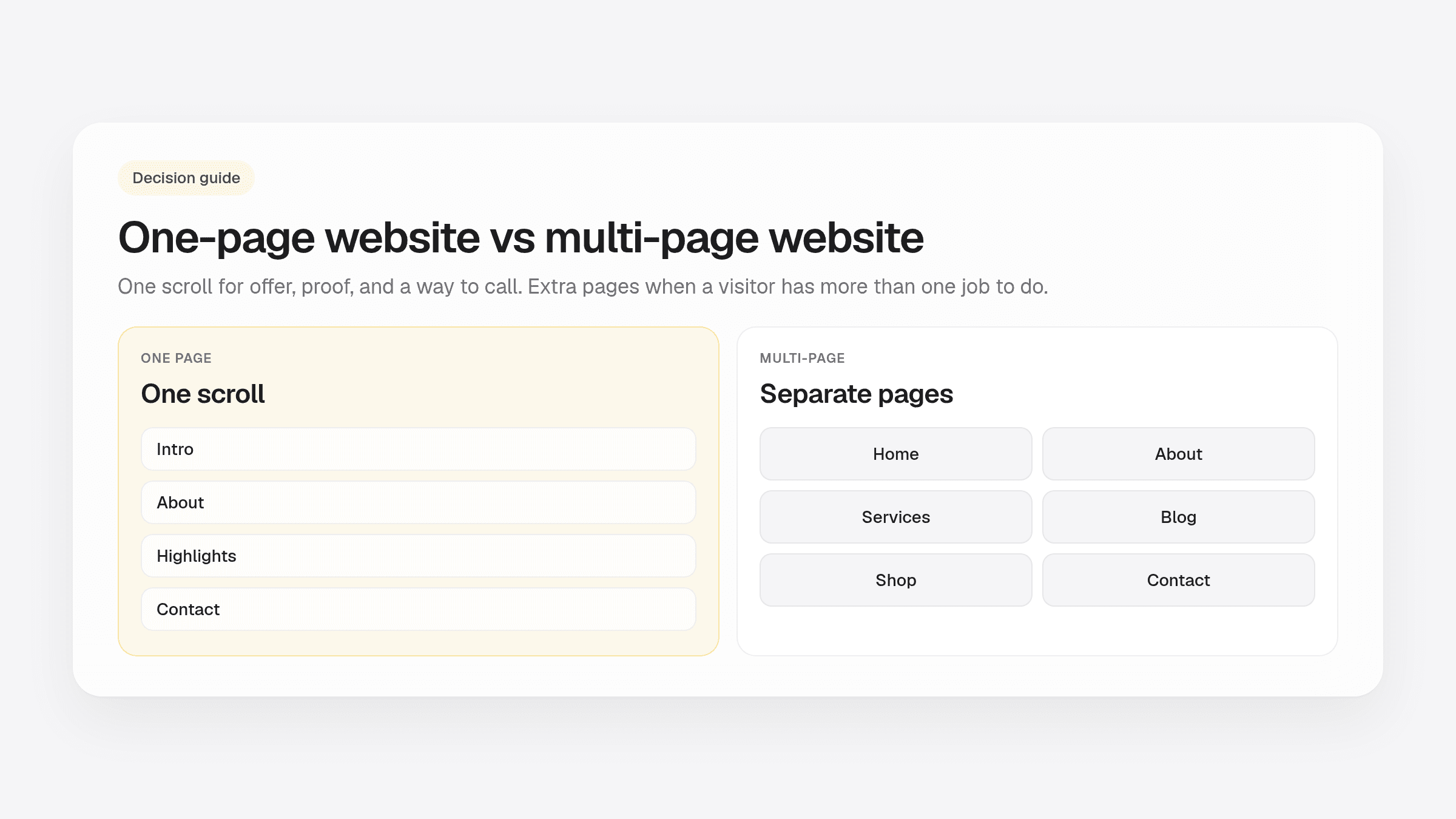
- A one-page site puts your offer, proof, and a way to reach you on a single scroll. Extra pages help when a visitor has more than one job to do.
- Most local service businesses, solo consultants, and new shops only need one page on day one.
- Plan for multiple pages when you have a real catalog, a blog you will keep writing, or services that each need a long story.
- If you are unsure, start with one page you can keep current. OnePagey drafts Intro, About, Highlights, and Contact from a short description.
People compare a one page vs multi page website when they are about to buy a builder and do not want a ten-page project. A one-page site puts your offer, proof, and a way to reach you on a single scroll. A multi-page site splits that into Home, About, Services, and more.
Most local service businesses, solo consultants, and new shops only need one page on day one. Extra pages help when you have real depth: a catalog, a blog you will actually write, or services that each need their own story.
If you already know you want one clear page, see what to put on a one-page business website. If you are still choosing a tool, website builder vs WordPress walks through the options.
What a one-page site is good at
A one-page site helps a stranger decide to call, book, or walk in. They land on your .com, scan for ten seconds, and look for three things.
- What you do
- Whether you cover their town or their problem
- A phone number or form they can use right now
That is enough for a plumber, cleaner, tutor, salon, lawn crew, or consultant. They want to know you are real and how to reach you. A Saturday bakery with three signature items and a phone number fits here too.
One page is also easier to keep current. Hours change. A phone number changes. You fix one scroll instead of five forgotten pages.
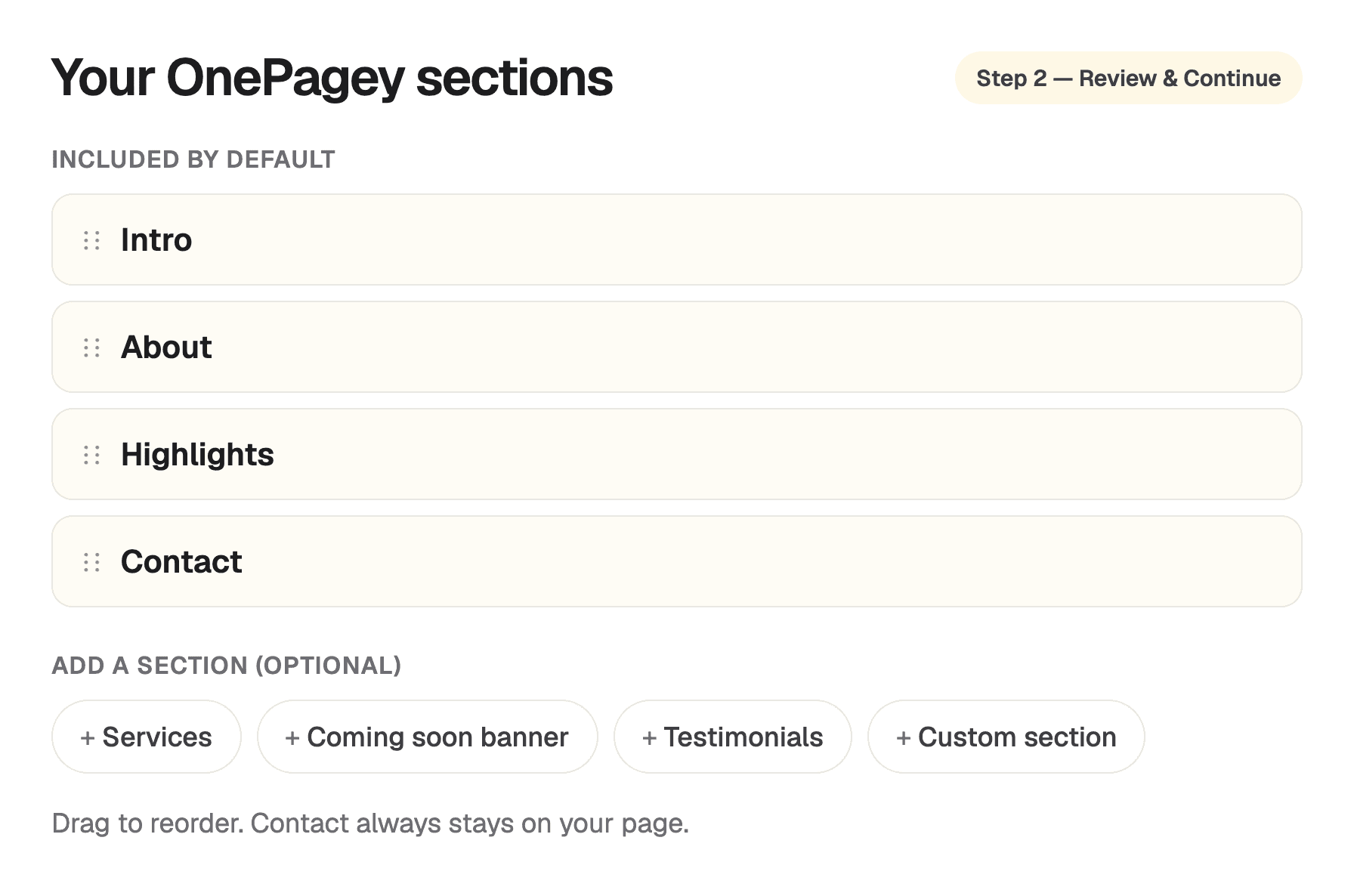
OnePagey is built around that shape. You describe the business in plain English, pick an available .com, and review Intro, About, Highlights, and Contact. You can add Services or Testimonials when you have them.
When a business needs multiple pages
Multiple pages help when a visitor has more than one job to do on your site.
You want extra pages when you sell many products that each need their own photos and details. A bakery with a Saturday menu can stay on one page. A shop with forty items usually wants a catalog.
You also want more pages when you publish articles every week, or when each service is a long story. Commercial HVAC and a same-day leak are different conversations. A booking flow with accounts and saved jobs is another reason to grow past one scroll.
If you are not doing those things yet, extra pages sit empty. Empty About and Blog links look unfinished. Start with the page you can keep current.
One page vs multi page website: a simple decision checklist
Answer these out loud. If you say yes to the first group, one page is enough this month.
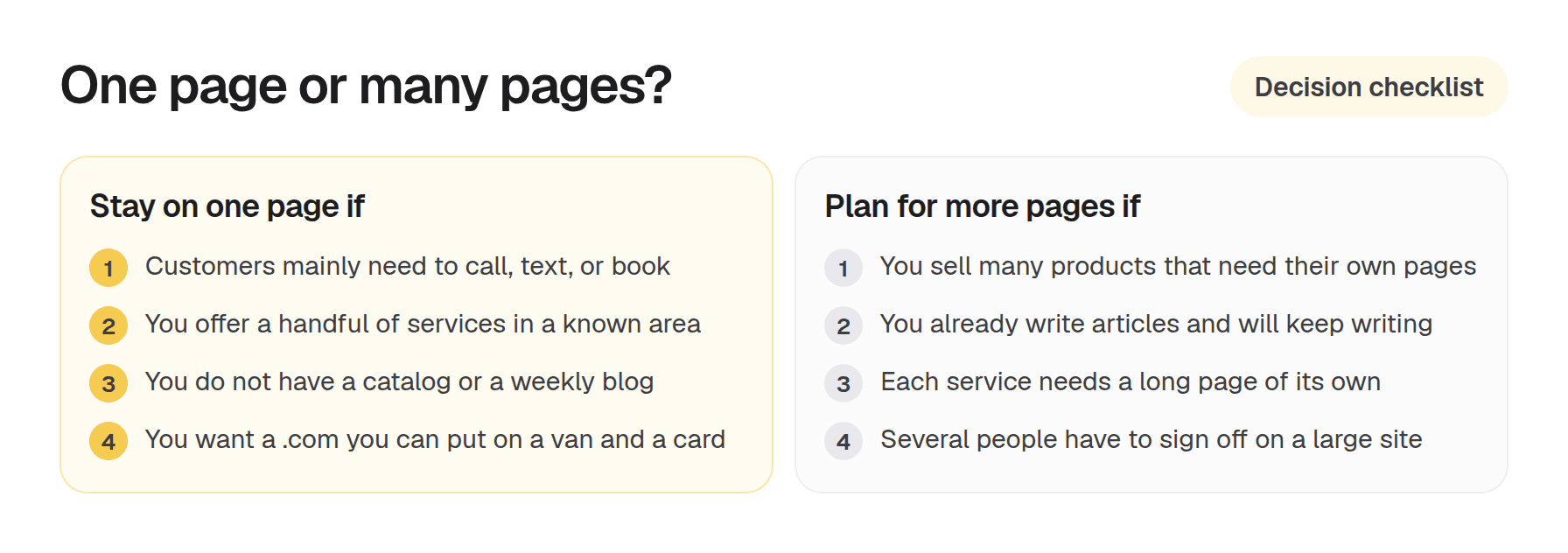
Stay on one page if customers mainly need to call, text, or book. You offer a handful of services in a known area. You do not have a catalog or a weekly blog. You want a .com you can put on a van and a card.
Plan for multiple pages if you sell many products that need their own pages, you already write articles and will keep writing, each service needs a long page of its own, or several people have to sign off on a large site.
If you are between the two, start with one page. You can add more later. Rebuilding a focused page is cheaper than launching five thin ones.
Start with one page, then expand later
Plenty of owners start with one scroll and grow when the work demands it. The first page still does the daily job: name, offer, proof, contact.
Put the same .com on your Google listing, Instagram bio, and invoices. That address stays yours to use as the business grows.
On OnePagey, the first draft is a one-page site with hosting and a .com included while you subscribe. Free publishes on a OnePagey address. Annual Standard is $8.25/mo billed $99. Monthly Standard is $9.99/mo. You review the draft before you pay.
Keep reading
More guides on getting a small business online.
- How to get your website online in 5 minutes
Get a website live today with an AI-powered builder, five pieces of content, and a publish button. Filter templates by industry, or skip templates if the builder generates the layout from your description.
- The easiest way to get your small business online in 2026
Customers still expect a .com when they search for you. See what a simple AI builder should do, why one page is enough, and how to go live with a .com this afternoon.
- How to write a business description for an AI website builder
AI website builders are only as good as your description. Use this short template so your generated homepage sounds like your real business.
One-page sites by use case
If you already know the kind of work you do, start on a page written for that job.