Website builder vs WordPress: which is right for your small business?
By the OnePagey team8 min read
Summary
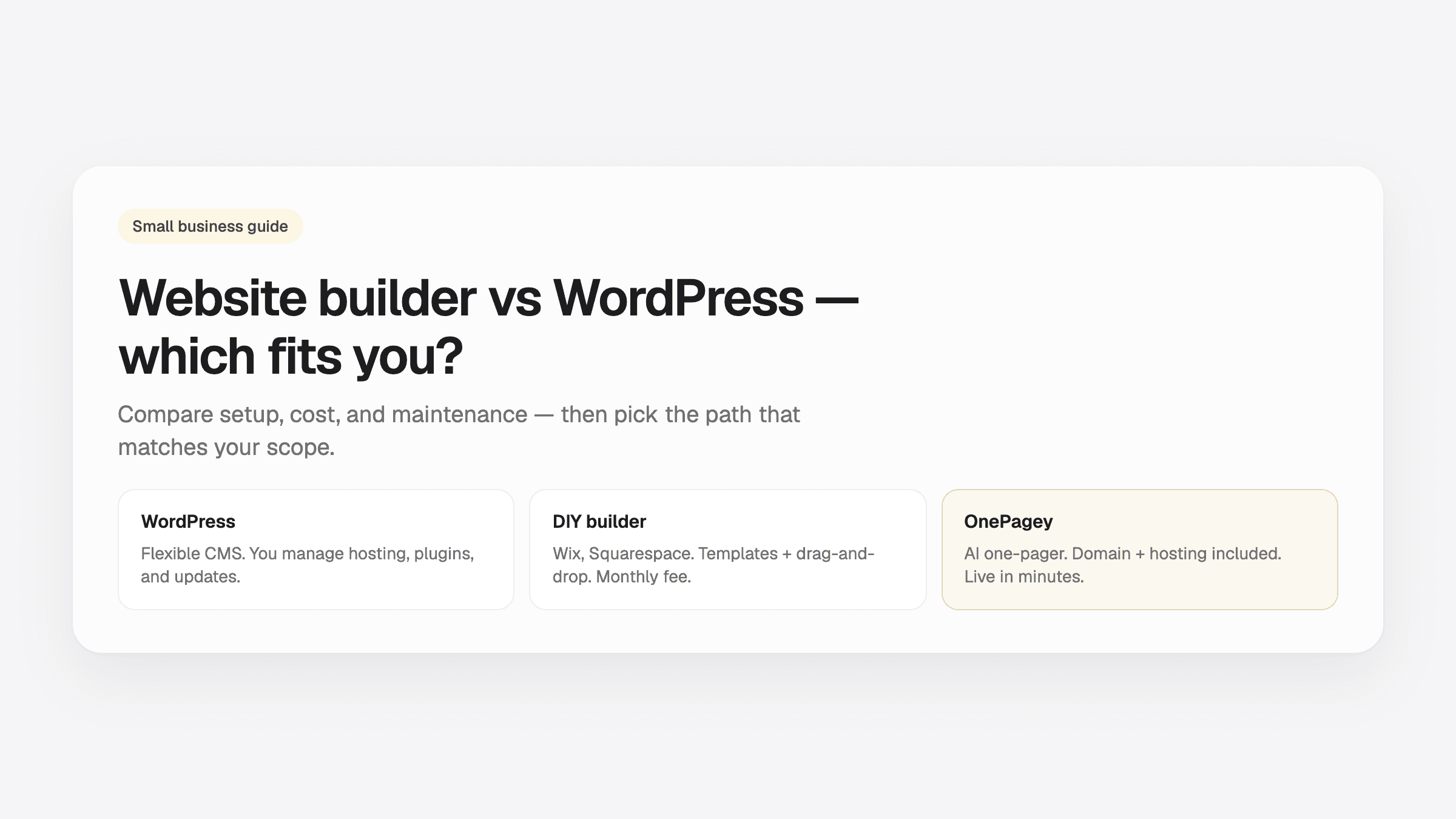
- WordPress is a powerful CMS. For most small businesses that need one clear page live fast, a one-page product is the shorter path.
- DIY builders (Wix, Squarespace) sit in the middle: easier than WordPress, still hours of template work.
- OnePagey is built for the one-page case: describe your business, review Intro / About / Highlights / Contact on Step 2, publish with a .com included.
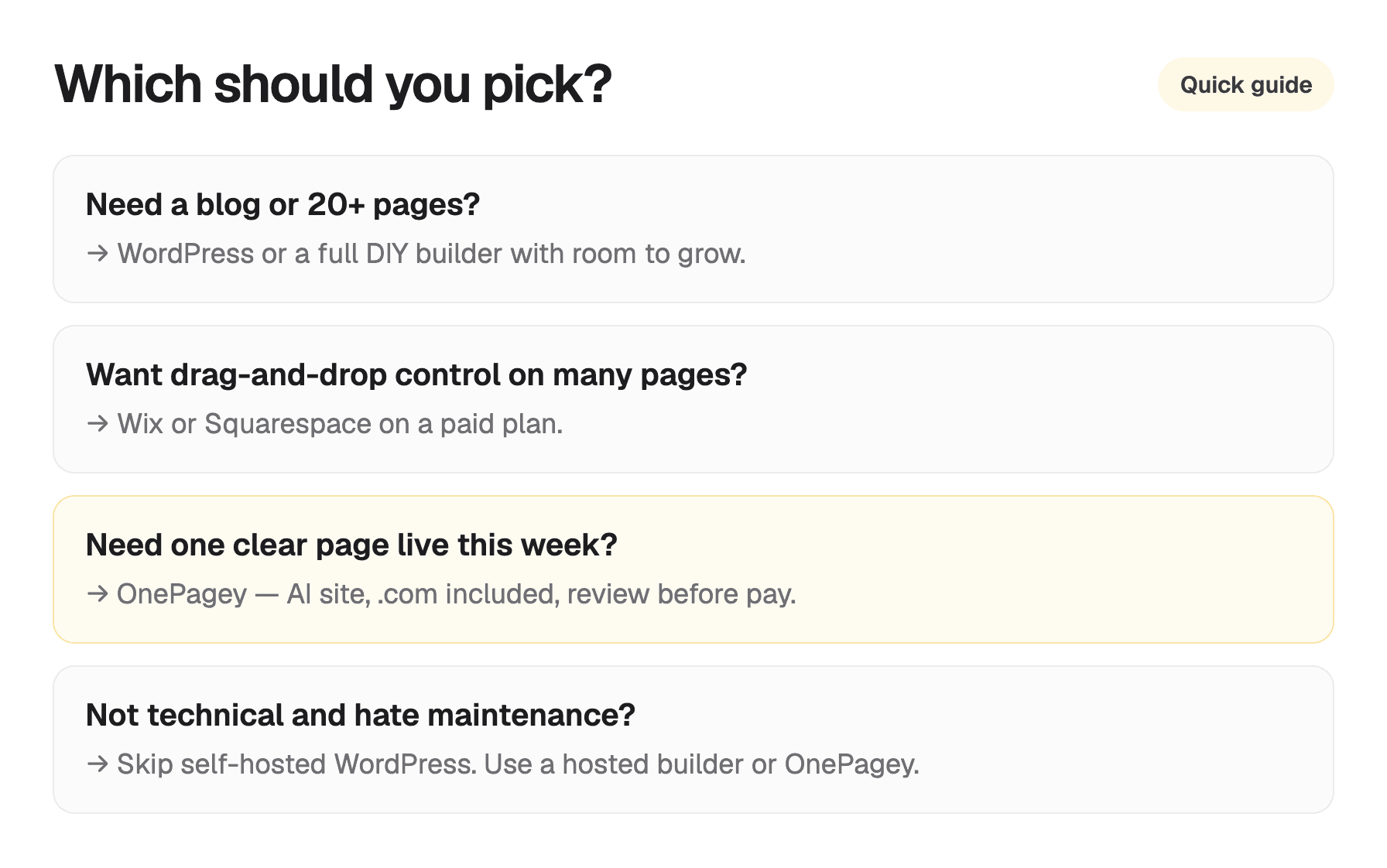
- Choose WordPress when you want a blog, many pages, or plugins. Choose OnePagey when you want a one-page site live this week.
“Should I use WordPress?” is one of the most common questions owners ask, and one of the most overloaded. WordPress powers a huge share of the web. That does not mean it is the right default for a local bakery, plumber, or consultant who needs a credible page this week.
Three real paths for small business scope: self-hosted WordPress, hosted DIY builders, and OnePagey. For budget context, pair this with our 2026 website cost guide.
What WordPress actually is
WordPress is a content management system (CMS): free open-source software you install on web hosting. You own the stack, which means you also own:
- Choosing and paying for hosting
- Installing WordPress and keeping it updated
- Plugins for forms, SEO, security, backups
- Themes for design, or custom development
- Fixes when something breaks after an update
WordPress shines when you need a blog, dozens of pages, memberships, complex e-commerce, or custom functionality. Developers love it because it is flexible. That flexibility is exactly what makes it heavy for a owner who wanted a simple contact page.
What a website builder actually is
Tools like Wix, Squarespace, and Webflow are hosted website builders. You pay a monthly fee; they host the site, provide templates, and handle infrastructure. You drag sections, pick fonts, and connect a domain (often included on annual plans).
Trade-offs:
- Pros: No server setup, visual editor, many templates, apps for booking and email
- Cons: Still 1 to 3 hours (or more) of template browsing; add-ons increase cost; you are designing layout yourself
For a multi-page site you will tweak for months, a DIY builder is a reasonable middle ground. For a single service-business page, you may still be doing work the platform does not automate.
Where OnePagey fits
OnePagey is a single page website builder for small businesses:
- You describe your business on the landing page
- You pick an available .com on Step 1
- OnePagey generates Intro, About, Highlights, and Contact, the same sections you see on Step 2: Review & Continue
- You preview, adjust sections and colors, then pay and publish
- Domain registration and hosting stay included while you subscribe
If you want one professional page, what to put on it is covered in our one-page content guide. OnePagey is built for that path end to end.
Side-by-side for small businesses
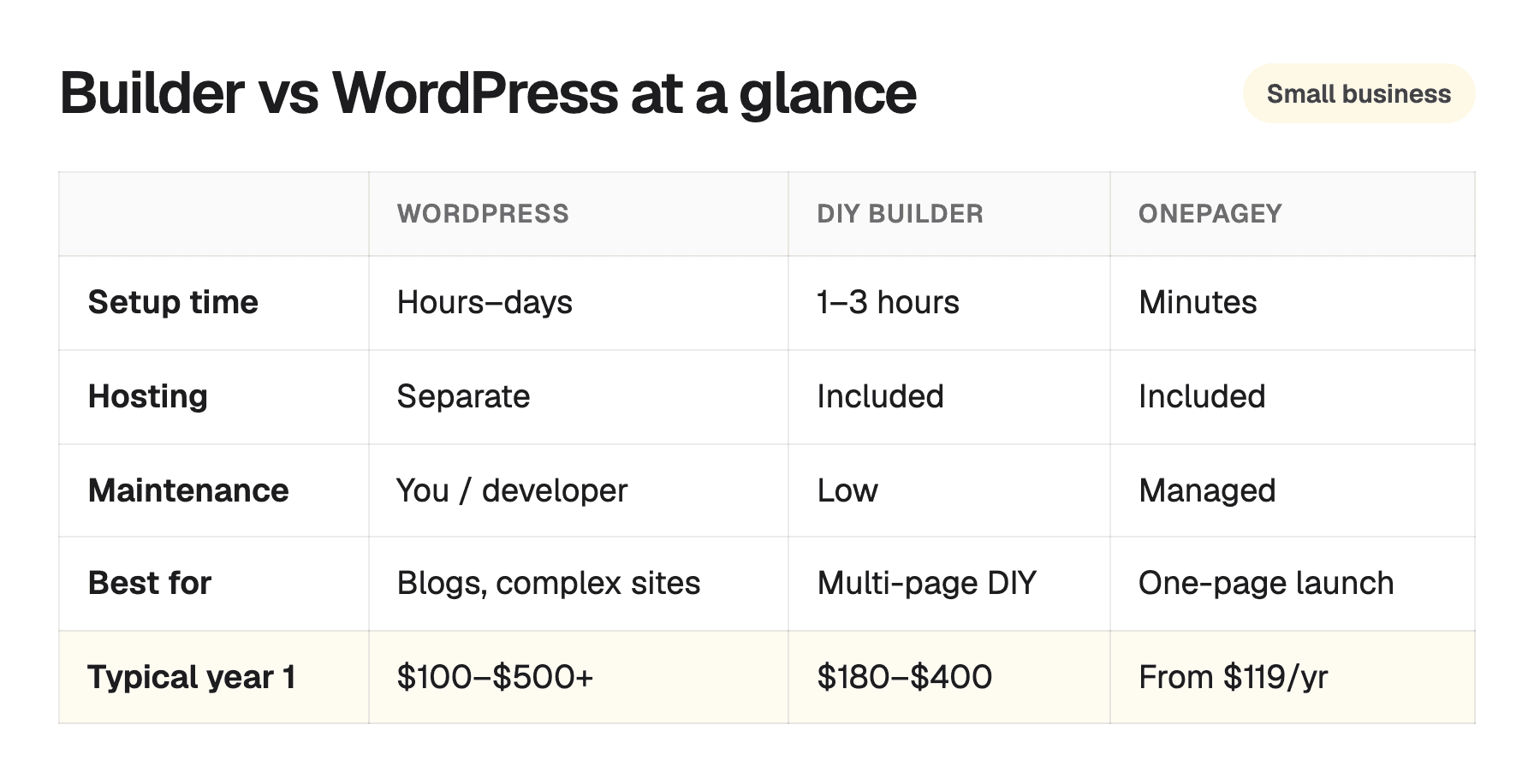
| Factor | WordPress | DIY builder | OnePagey |
|---|---|---|---|
| Time to first live page | Hours to days | 1 to 3+ hours | Minutes |
| Technical setup | Hosting, install, connect the name | Minimal | None |
| Ongoing maintenance | Updates, plugins, backups | Low (platform-managed) | Managed |
| Design control | Full (with effort) | High (drag-and-drop) | Focused one-page layout |
| Custom .com domain | Buy + connect yourself | Often included year 1 | Standard and Premium include a .com |
| Best for | Blogs, large sites, custom apps | Multi-page DIY sites | One-page service businesses |
Numbers vary. See the cost guide for ranges. The pattern is consistent: WordPress gives you control in exchange for time. Builders give you templates for a monthly fee. OnePagey gets a one-page site live fast, with a .com included.
When to choose WordPress
WordPress is the right call when:
- You will publish blog posts regularly and care about SEO depth
- You need many pages with different layouts
- You require specific plugins (memberships, LMS, complex WooCommerce)
- You have a developer on retainer, or you enjoy maintaining the stack
If none of those apply yet, WordPress is often procrastination dressed as prudence.
When to choose a DIY builder
Pick Wix, Squarespace, or similar when:
- You want multiple pages and enjoy choosing templates
- You need builder-specific apps (scheduling, light commerce)
- You are fine paying $15 to $30/month ongoing and spending an afternoon setup
When to choose OnePagey
OnePagey fits when:
- You need one clear page with services, contact, and proof, live quickly
- You want a .com registered in your name and connected for you
- Your content maps to Intro, About, Highlights, Contact (plus optional Services or Testimonials)
- You want the name on one bill, without a separate registrar checkout
If you are not sure you need more than one page, start simple. You can always migrate later. Most local businesses keep a well-built one-pager.
Common myths
“WordPress is free, so it is cheaper”
The software is free. Hosting, premium themes, plugins, developer time, and your hours are not. For many owners, total cost exceeds an all-in-one builder within year one.
“I need WordPress for SEO”
WordPress can be excellent for SEO with the right plugins, content, and maintenance. A slow, neglected WordPress site loses to a fast one-page site with clear copy and a custom domain. SEO follows substance and technical basics, not the brand on your CMS.
“Builders are only for amateurs”
Professional businesses use hosted builders and one-page products every day. Customers judge your phone number and offer.
Pick the tool that matches your scope
If you need a blog, many pages, or plugins, budget time for WordPress or a full builder. If you need a credible one-page presence this week, use a product built for that job.
New to the funnel? Start with how to get your website online in 5 minutes, then pick the platform that matches your scope.
Also in this series: How to get your website online in 5 minutes · How much does a small business website cost in 2026? · What to put on a one-page business website · Do you need a web designer?
Keep reading
More guides on getting a small business online.
- How much does a small business website cost in 2026?
Agency, freelancer, DIY, or all-in-one? Real 2026 price ranges for a small business website, including the costs most owners forget to budget.
- Free website vs paid website for small business: what's worth it?
Free websites are fine for experiments. For a real business, the "free" version often costs trust. This is a free vs paid breakdown of ads, URLs, and what a paid .com buys.
- Wix vs Squarespace vs OnePagey for a simple business site
Wix and Squarespace are powerful, and easy to overbuy. See how they compare to a one-page AI builder when you only need a clear business presence.
One-page sites by use case
If you already know the kind of work you do, start on a page written for that job.