Landing page vs website: which one does a small business need?
By the OnePagey team7 min read
Summary
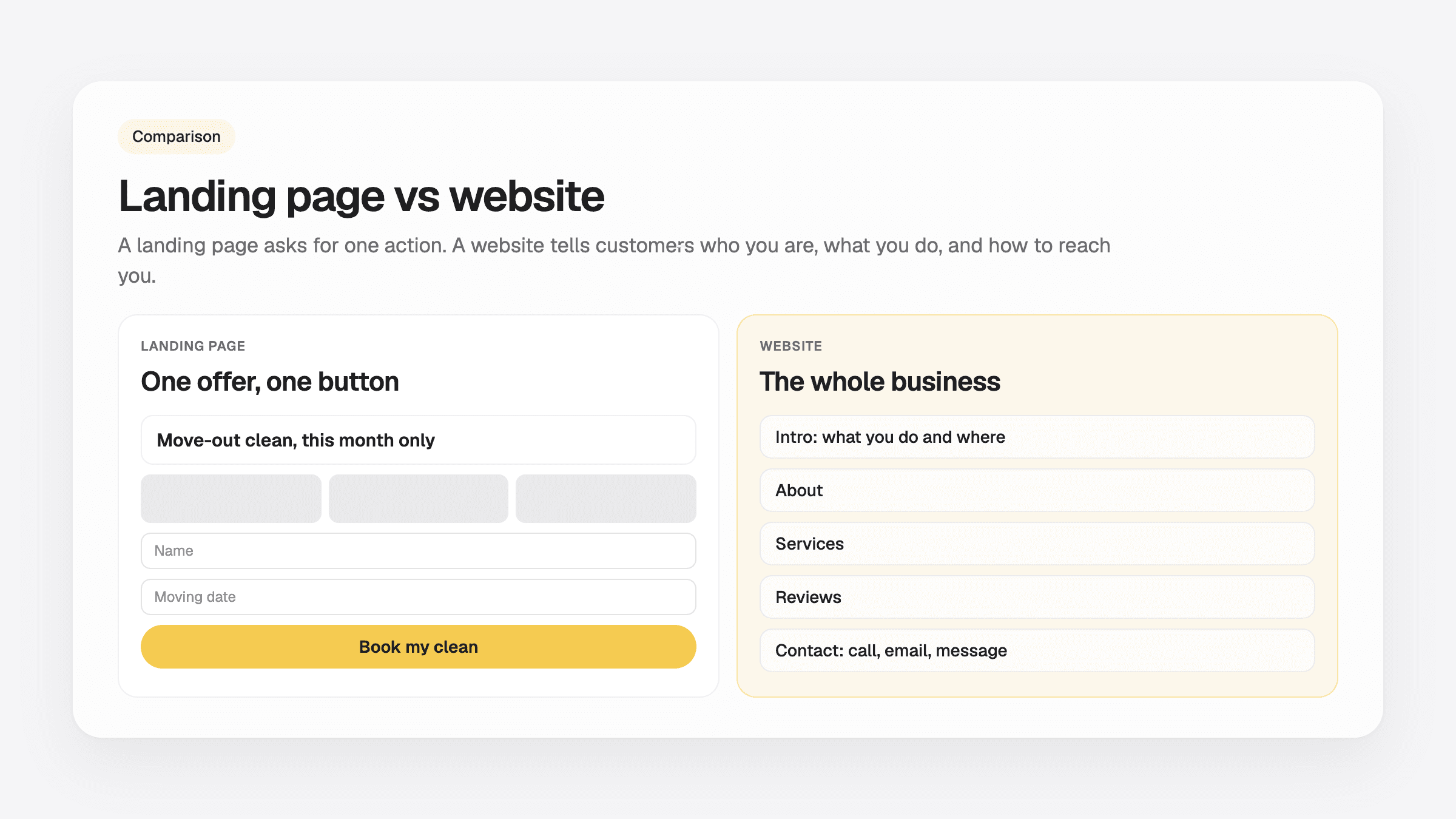
- A landing page is one page built for one action, such as booking a call or claiming an offer. A website tells people who you are, what you do, and how to reach you.
- Most small businesses need a website first. A landing page is something you add for an ad, a promotion, or a single offer.
- A homepage is the front door of a website and talks to every visitor. A landing page talks to one group that came from one ad or one link.
- A one-page business site can do both jobs: one clear button, plus the facts a customer checks before calling.
- OnePagey drafts a one-page site with your own domain name on Standard ($9.99/mo, or $99 a year). Free publishes on a OnePagey address.
Landing page vs website comes down to one question: how many jobs does the page have? A landing page has one. It asks a visitor to do a single thing, like book a call or claim an offer. A website answers everything a customer wants to know about your business, from what you sell to where you are.
Most small businesses need a website first. You add a landing page later, when you run an ad or a promotion and want every visitor from it to take the same step. If you are not sure what goes on a small site, start with what to put on a one-page business website.
What is a landing page?
A landing page is a single web page made for one goal. Visitors usually arrive from an ad, an email, or a social post. The page has one headline, a few reasons to act, and one button or form. It often has no menu, so nothing pulls the visitor away from that button.
You will also hear it called a lead capture page, a squeeze page, or a sales page. A sales page is a landing page that sells a product right there. A lead capture page asks for a name and email in exchange for something, such as a quote or a discount code.
Here is a small example. A cleaning company runs a Facebook ad for a $99 move-out clean. The ad links to a page that repeats the offer, shows three photos, and has one form: name, address, and moving date. That page is a landing page. When the offer ends, the owner takes it down.
Landing page vs website: the short answer
A landing page asks for one action from people who came from one place, usually an ad. A website tells every visitor who you are, what you offer, where you work, and how to reach you. You can run a business with only a website. A landing page alone leaves out most of what customers check before they buy.
The differences, side by side
The table below compares the two on the points owners ask about most.
| Landing page | Website | |
|---|---|---|
| Main goal | One action, such as a booking or a sign-up | Tell people about the business and how to reach you |
| Length | One page | One long page or several pages |
| Menu | Usually none | Yes, so visitors can find what they need |
| Where visitors come from | An ad, an email, or one link | Google, your card, your van, and word of mouth |
| How long it stays up | As long as the offer runs | As long as the business runs |
| Shows up on Google | Rarely, because it is short and narrow | Yes, for your name, trade, and town |
Local customers mostly find you through Google. A customer who searches "plumber in Tacoma" sees a list of websites. A page built for one ad seldom shows up for that search.
Landing page vs homepage
A homepage is the first page of a website. It talks to everyone: a new customer, a returning one, a supplier, someone checking your hours. So it carries a menu, a short intro, and links to the rest of the site.
A landing page talks to one group of people with one reason to be there. If your homepage were a shop window, a landing page would be a flyer for this week's sale. You can point an ad at your homepage, and plenty of small businesses do. A landing page helps when the ad promises something specific and you want the page to repeat that exact promise.
Do you need a website if you have a landing page?
In most cases, yes. People who see your ad still want to check you before they pay. They look for your address or service area, your hours, a phone number, photos of real work, and reviews. A landing page built around one offer rarely has room for all of that.
A website also keeps working when the ads stop. Your domain name goes on your business card, your Google listing, and your invoices. That address should lead to a page about the whole business, so it still makes sense in a year. If you are weighing whether your own domain name is worth it, see do I need a custom domain for my small business.
When a one-page site does both jobs
A one-page business site sits between the two. It has the focus of a landing page: one scroll and one main button, such as Call or Book. It also has what a website needs: who you are, what you offer, where you work, and how to reach you.
For a plumber, a cleaner, a tutor, or a small salon, that is often all the site the business needs. You can send ad traffic to it, print its address on your van, and let Google find it. The same page does every job. Our guide to one page vs multi page websites covers when it is time to add more pages.
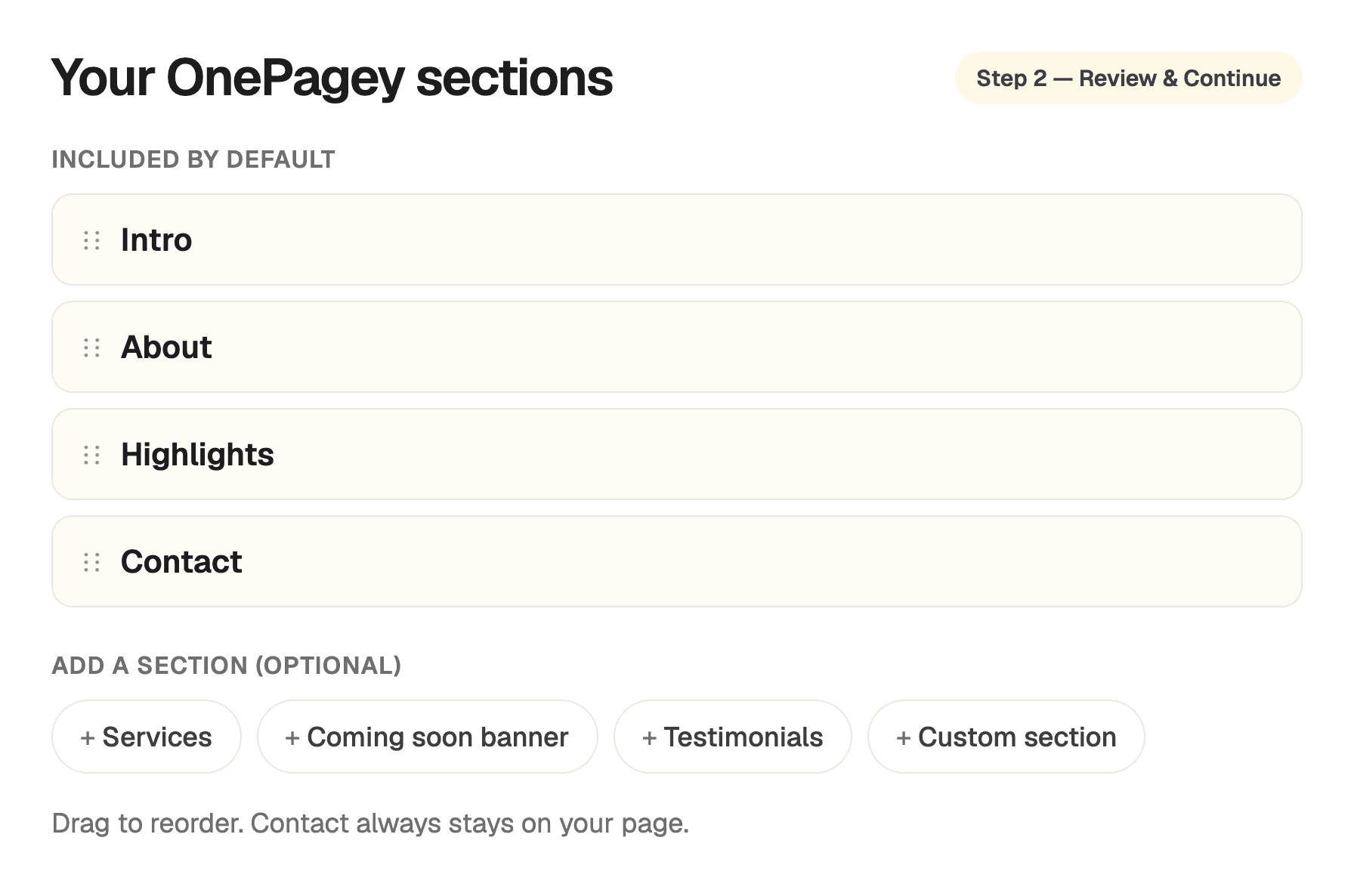
OnePagey builds that kind of page. You describe the business in plain English and pick a domain name. You then review a draft with Intro, About, Highlights, and Contact before you publish. Customers can call, email, or send a message from the Contact block.
How much does a landing page cost?
A landing page can cost nothing if you build it yourself on a free plan. Free plans publish on the builder's own address, such as yourname.carrd.co, and show the builder's name on the page. Paying usually buys you your own domain name and removes that branding.
Prices we checked in November 2026 for our one page website builder comparison: Carrd Pro Standard was $19 a year, and you buy the domain name separately. Squarespace Basic was $19 a month billed yearly. A designer or agency quotes per project, so ask for a written price that includes changes after launch.
On OnePagey, Free publishes your page on a OnePagey address. Standard is $9.99 a month, or $8.25 a month billed $99 a year, and includes your domain name and hosting while you subscribe. Premium adds business email on that domain name for $14.49 a month, or $12 a month billed $144 a year.
Which one should you start with?
Start with a website if customers need to find you, trust you, and contact you. That covers almost every local business. One page is enough for most of them on day one.
Add a landing page when you run a paid ad or a time-limited offer and want to measure how many people from that ad take the next step. If your one-page site already leads with that offer and a single button, you can point the ad straight at it.
Keep reading
More guides on getting a small business online.
- How to build a one page website
How to build a one page website: name, one sentence, contact, one button, and one photo. OnePagey turns that into the page. Pick a .com and publish.
- Wix vs Squarespace vs OnePagey for a simple business site
Wix and Squarespace are powerful, and easy to overbuy. See how they compare to a one-page AI builder when you only need a clear business presence.
- The easiest way to get your small business online in 2026
Customers still expect a .com when they search for you. See what a simple AI builder should do, why one page is enough, and how to go live with a .com this afternoon.
One-page sites by use case
If you already know the kind of work you do, start on a page written for that job.