How to put your business on Google Maps for free
By the OnePagey team7 min read
Summary
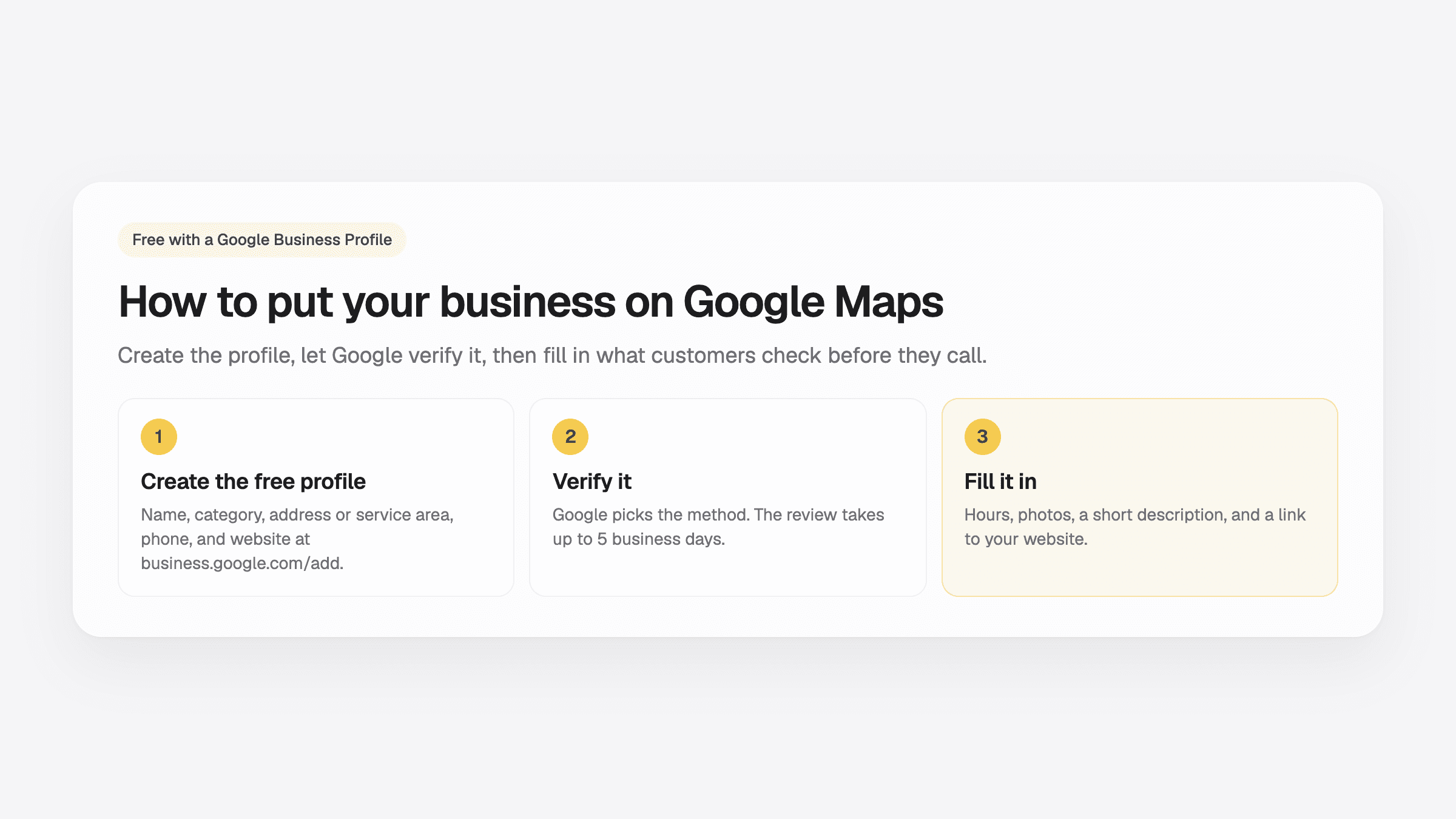
- Putting your business on Google Maps is free. You do it with a Google Business Profile at business.google.com/add.
- Google asks for your business name, a category, an address or a service area, a phone number, and a website, then asks you to verify.
- Google picks the verification method. The review takes up to 5 business days, and a postcard code usually arrives within 14 days.
- If you work from home and go to your customers, set a service area and hide your home address.
- After you are verified, add hours, photos, and a website. Google says complete, accurate profiles are more likely to show up.
How to put my business on Google Maps is one of the first questions owners ask once customers start searching for them. The answer is a free Google Business Profile. You create it at business.google.com/add, verify that the business is yours, and your listing can appear on Maps and in Google Search.
The form takes a few minutes. The waiting is longer, because Google checks every new profile before it goes live. Below are the steps in order, what each verification method looks like, and what to fill in so people who find you actually call.
How to put my business on Google Maps in six steps
Sign in with a Google account, open business.google.com/add, and enter your business name, category, address or service area, phone number, and website. Then pick the verification method Google offers and finish it. Google reviews the profile, which takes up to 5 business days, and the listing shows on Maps once you are verified.
- Search for your business first. Open Google Maps and search for your business name and town. If a listing already exists, tap Claim this business and then Manage now instead of making a second one. Google explains both paths in its add or claim help page.
- Sign in and start the profile. Use a Google account you will keep, ideally one you use for the business. Go to business.google.com/add and choose Add your business to Google.
- Type the name customers know. Write the name on your sign or your invoices. Google's rules say no slogans, city names, or extra keywords in the name.
- Pick the closest category. Start typing what you do, like “Plumber” or “Bakery,” and choose the closest match. The category helps Google show you for the right searches.
- Add an address or a service area. If customers come to you, enter the street address. If you go to them, add the towns you cover and hide your address. More on that below.
- Add a phone number and a website, then verify. Use a number you answer. Add a website if you have one. Then choose Get verified and follow the method Google gives you.
How Google verifies your business
You do not choose the method. Google picks it based on your type of business, what it can find about you publicly, your region, and your hours, and the verification help page says it cannot be changed. Some businesses need more than one method. These are the ones Google lists:
- Phone or text message. Google sends a code to the business number. A phone menu system cannot receive it, so answer on a line a person picks up.
- Email. The code goes to the email address shown on the verification screen.
- Video recording or live video call. You show the location and something that proves you run it, such as your tools, your van, or the keys to the shop. Live calls happen during your business hours.
- Postcard. Google mails a 5-digit code to the address. Most codes arrive within 14 days and expire after 30.
After you send it, Google says the review takes up to 5 business days, and on rare occasions longer. While you wait, do not change the business name, address, or category, and do not ask for a new postcard. Google asks you to leave both alone until the check is done.
Working from home? Use a service area
A plumber, a cleaner, or a mobile dog groomer works at the customer's place. Google calls this a service-area business. Its guidelines ask you to hide the home address and list the areas you cover instead. Keep the area to places you really serve. Google says it should not reach farther than about two hours of driving from where you are based.
If you also have a shop where customers walk in during posted hours, you can show the address and add a service area. A P.O. box or a virtual office that nobody staffs does not count as an address.
What to fill in so customers call you
A verified profile with only a name is easy to scroll past. Google says businesses with complete and accurate info are more likely to show up in local results. Once you are in, add:
- Hours, including holidays. Wrong hours send people to a locked door.
- Photos of your work, your shop front, and your team. A real photo of a finished job does more than a logo.
- A short description of what you do and where. Google does not allow prices, promotions, or links in it.
- Services or products with plain names, the way a customer would type them.
- A website link that opens a page about this business, with the same name, phone number, and address as the profile.
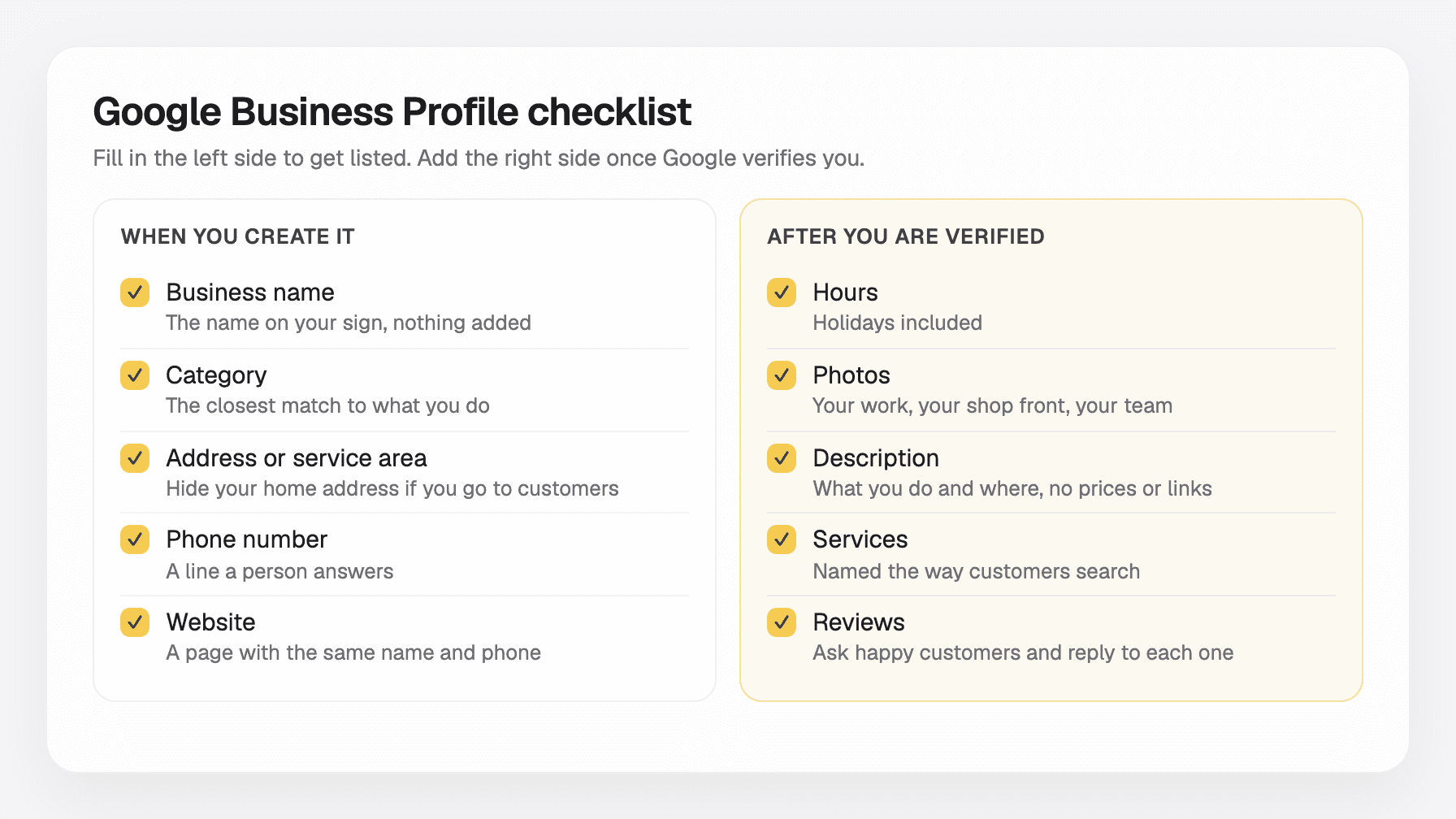
Then ask your happy customers for a review. Google says prominence, which includes how many reviews you have and how many websites link to you, is one of the things that decides who shows up first. Reply to every review, good or bad. For where to put the phone number and address on your own site, see how to add business contact info customers will use.
Why the website field matters
A customer who finds you on Maps usually checks one more thing before calling. They tap your website to see what you do, what it costs, and whether you look real. A profile with no link sends them back to the list of other businesses.
The website also helps Google. Your profile and your page should show the same business name, phone number, and address, so both point to the same business. Our guide to a website for a local service business covers what that page needs, and the 90-day small business SEO plan shows what to do in the weeks after.
OnePagey builds that page for you. You describe the business, pick an available domain name, preview the page, and publish. Free publishes on a OnePagey address. Standard is $99 a year, about $8.25 a month, or $9.99 a month, and includes your domain name and hosting while you subscribe. Premium is $144 a year, or $14.49 a month, and adds business email. Paste the page link into the website field of your profile.
Why your business is not on Google Maps yet
- The profile is not verified. Open your profile and look for a verification prompt. Finish it.
- The review is still running. Give it the full 5 business days before you change anything.
- You edited the name, address, or category during the review. Google asks owners not to touch these while it checks. Put them back and wait.
- You are searching from far away. Google weighs the distance between the person searching and the business. Search for your name and town from your own area.
- The profile is thin. Add hours, photos, a description, and a website. Google also says nobody can pay for a better local spot, so ignore offers that promise one.
Questions about the website or your domain name? Visit our support page. Real people reply within one business day.
Frequently Asked Questions
Is it free to put my business on Google Maps?
Yes. Google says you can add or claim a Business Profile at no charge. You cannot pay Google for a higher spot in the map results either.
How long does it take for my business to show up on Google Maps?
After you send your verification, Google says the review takes up to 5 business days, and on rare occasions longer. If Google mails you a postcard, most codes arrive within 14 days.
Can I add my business if I work from home?
Yes. If you go to your customers, like a plumber or a cleaner, set a service area and hide your home address. Google asks service-area businesses to keep the address hidden from customers.
Why is my business not showing up on Google Maps?
The usual reasons are a profile that is not verified yet, a review that is still running, or a name or category you changed while Google was checking it. Also try the search from your own area, because Google weighs the distance between the customer and the business.
Can I manage more than one business with one Google account?
Yes. One Google account can manage several Business Profiles. Each location with its own staff and its own customers gets its own profile.
Do I need a website for my Google Business Profile?
You can publish the profile without one. The profile has a website field, though, and many customers tap it before they call. A one-page site on your own domain name shows your services, prices, and photos in one place.
Keep reading
More guides on getting a small business online.
- How to build a one page website
How to build a one page website: name, one sentence, contact, one button, and one photo. OnePagey turns that into the page. Pick a .com and publish.
- Wix vs Squarespace vs OnePagey for a simple business site
Wix and Squarespace are powerful, and easy to overbuy. See how they compare to a one-page AI builder when you only need a clear business presence.
- The easiest way to get your small business online in 2026
Customers still expect a .com when they search for you. See what a simple AI builder should do, why one page is enough, and how to go live with a .com this afternoon.
One-page sites by use case
If you already know the kind of work you do, start on a page written for that job.