What is an AI website builder? (and when to use one)
By the OnePagey team7 min read
Summary
- An AI website builder turns a short description of your business into a draft page you can edit and publish.
- The useful loop is generate, check the facts, then go live. Treat the first pass as a start.
- AI is quick with first copy and a sensible page layout. You still confirm names, hours, photos, and how to reach you.
- Templates start blank. A freelancer takes longer. An AI builder sits in the middle when you need a simple site this week.
- OnePagey is one example: describe the work, pick a .com, review the draft, and publish with hosting on the same bill.
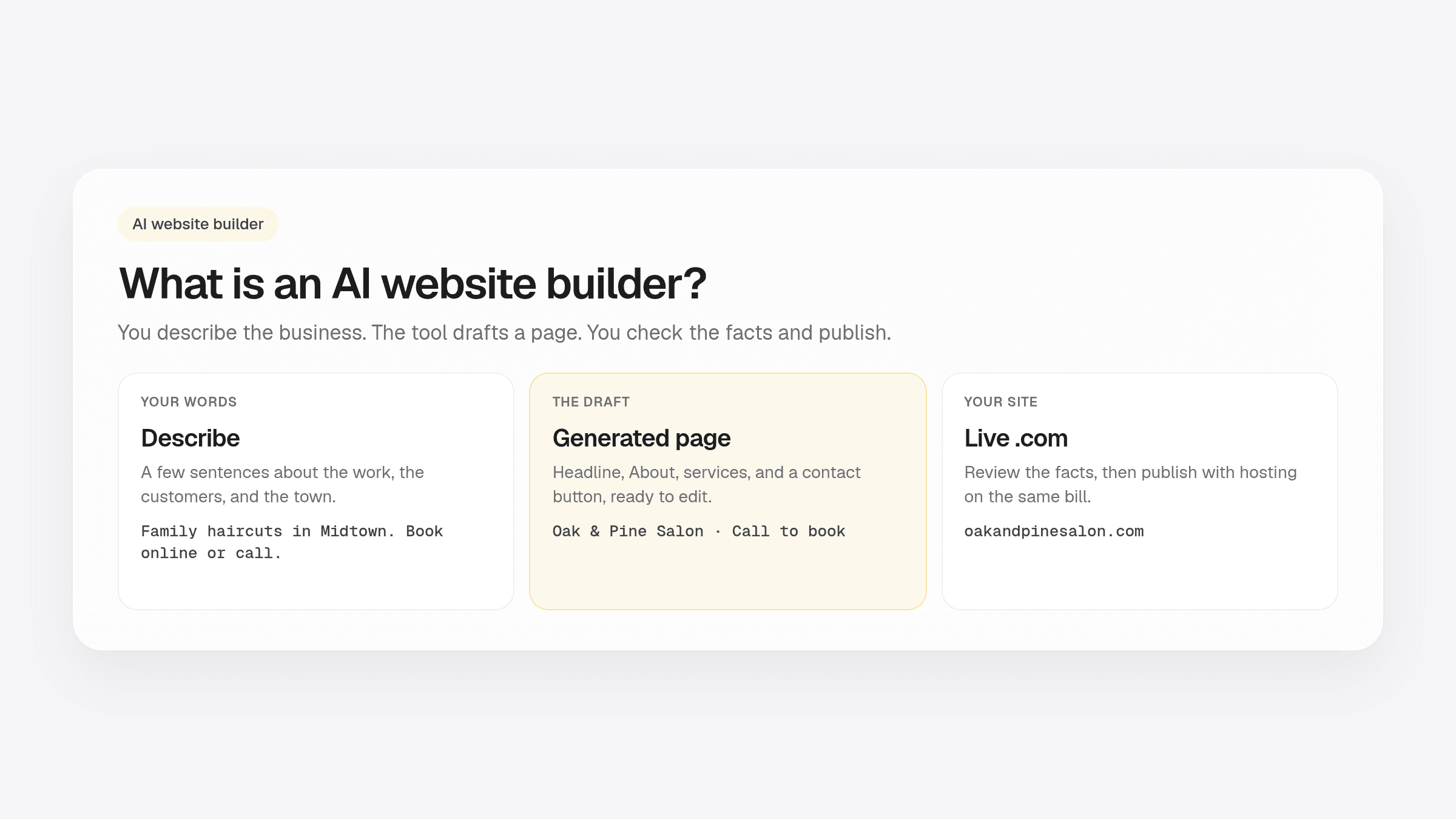
So what is an AI website builder? It is a tool that reads a short description of your business and drafts a website you can edit and publish. You type a few sentences. The builder drafts the page. You check it and go live.
That is the job. The ads make it sound like magic. In practice it is a first draft with a publish button. The draft is useful when your description is specific. The publish step is useful when you review names, hours, and the phone number first.
If you want the short launch path, use how to get a website online in 5 minutes. If you are still deciding whether to hire help, see whether you need a web designer. For a builder versus WordPress comparison, start with website builder vs WordPress.
What is an AI website builder?
An AI website builder is software that writes a first version of your site from a prompt. You describe the offer in plain English. It proposes a headline, an About block, a few selling points, and a way for people to reach you. Then you edit.
It is different from ChatGPT sitting in a browser tab. A chat tool can write copy. An AI generated website also has a layout, a place to publish, and usually a way to buy a name and keep the site online. Some products combine those jobs. Some only write text and leave the rest to you.
Think of it as a junior assistant who works fast. You still own the facts. If you write “we help busy parents in Denver with weekday tutoring,” the page will sound like that business. If you write “excellence and passion,” the page will sound like a poster.
How the generate, edit, and publish loop works
Most AI builders follow the same loop. The names of the screens change. The jobs do not.
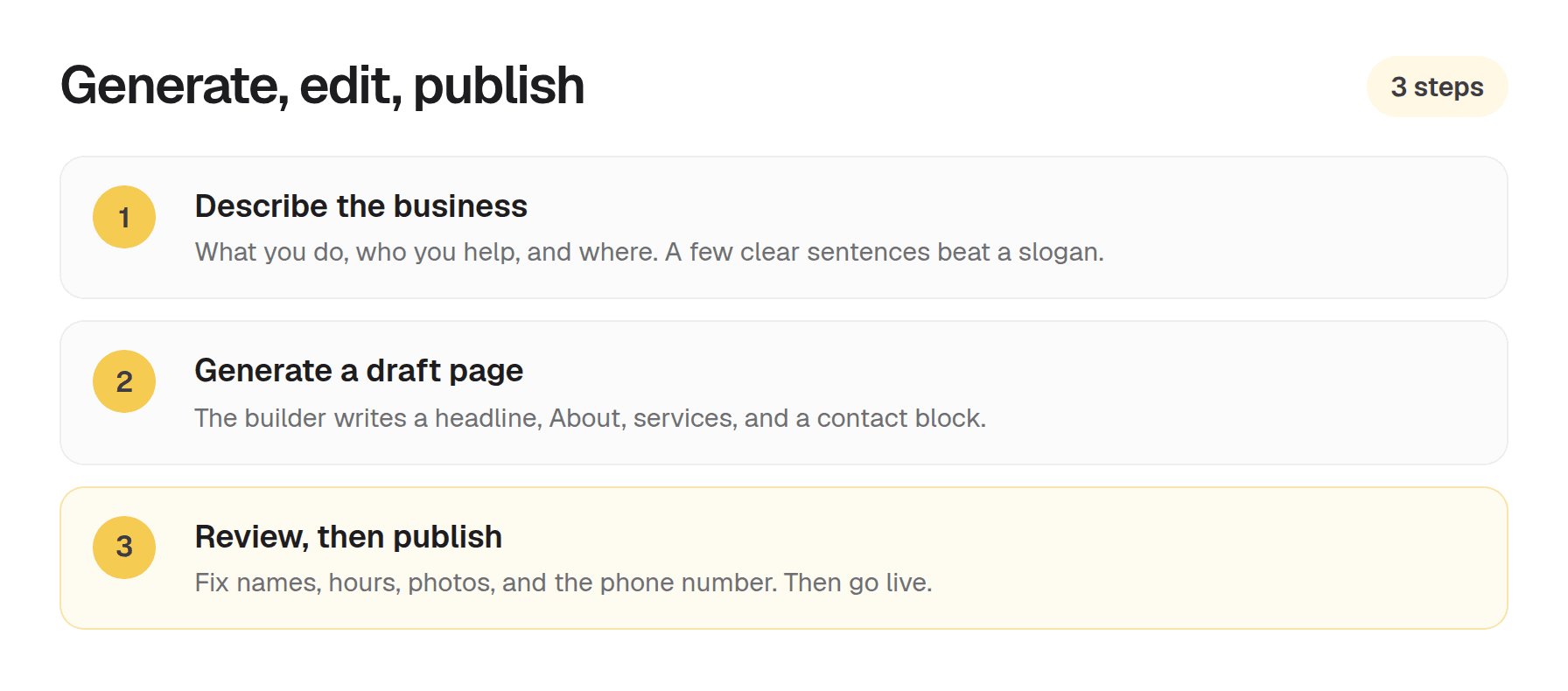
- Describe. Business name, what you do, who you help, and where you work if that matters. Two to four short sentences is plenty.
- Generate. The tool drafts sections and a layout. You get a page to look at, not a blank canvas.
- Edit. Fix the phone number. Swap a real photo. Cut anything that is not true.
- Publish. The site goes live on a real address customers can type and remember.
Clear input makes a clearer draft. If you want a fill-in template for that first paragraph, use how to write a business description for an AI website builder.
What an AI website builder does well
AI is good at a first pass. Staring at a blank template on a Sunday night is how sites stay unpublished for months.
A website builder that writes content is usually strong at:
- A headline that names the work, if you named the work in the description
- A short About that you can tighten in two minutes
- A sensible order: intro, proof, services, contact
- A page you can review the same day you start
Your job stays the same on every tool. Confirm the facts. Use photos that look like your real work. Make the next step obvious: call, book, or visit. Treat the first draft as a start, not a finished ad.
AI builder vs templates vs freelancers
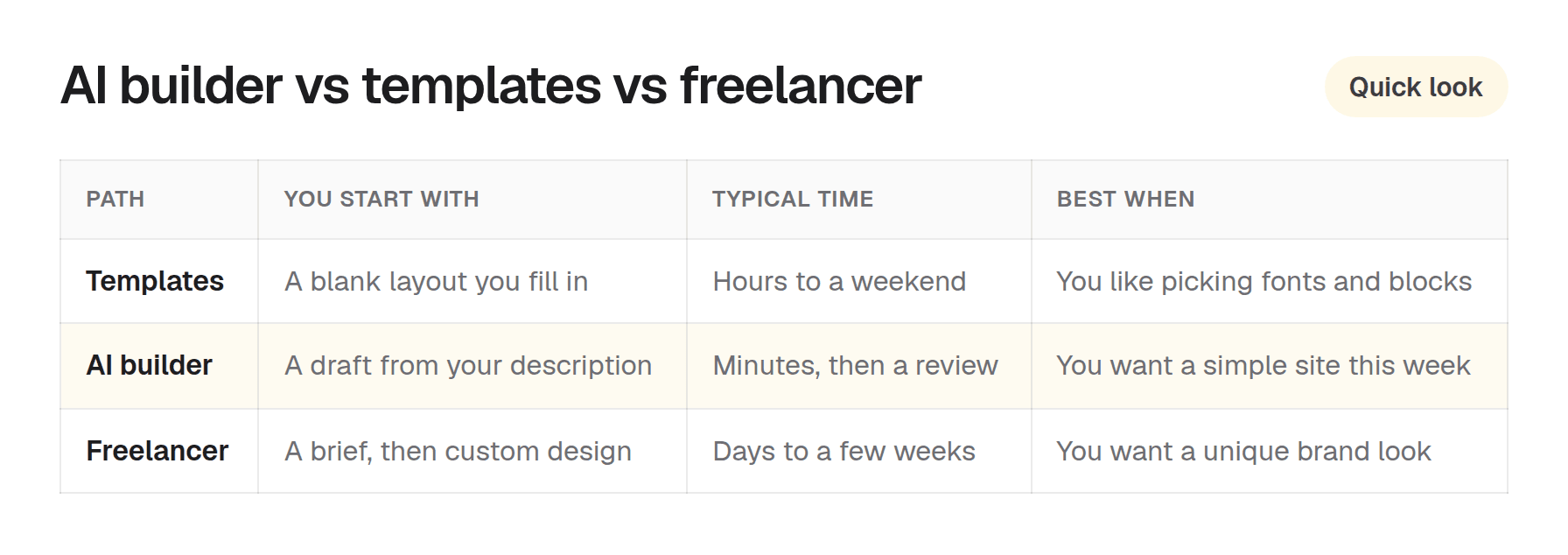
These three paths all get you online. They start from different places and cost different kinds of time.
Templates
You pick a look, then fill every box yourself. That is fine if you enjoy arranging blocks. It is slow if you freeze on the headline. You also buy hosting and a domain as separate chores on many tools.
AI builders
You start with words, not a theme picker. The draft is already about your trade. You spend your time checking, not inventing. For a simple business site, that is usually the faster afternoon.
Freelancers
You buy taste, custom layout, and someone who will argue about the photos. That is worth it when the look of the brand is the product. It takes briefing, revisions, and a wait. If you need a clear page this week, generate a draft first and hire later if you outgrow it.
When to use an AI website builder for a small business
Use an AI website builder for a small business when you already know the offer and you want customers to find a real page this week. You have a name, a service, a town or a remote area, and a way people should reach you. You would rather review a draft than build from zero.
It is a strong fit when:
- You run a local service, a studio, or a solo practice
- Customers decide by reading what you do and tapping a number
- You want a .com you can say out loud on a card or a van
- You can spare 20 minutes to fix the facts on a generated page
A designer is still a good hire when you want a custom brand look or a more involved project. Many owners start with a generated page, then invest in design once the business is taking calls.
OnePagey's one-page approach as an example
OnePagey is an AI website builder aimed at one clear business page. On Step 1 you enter a name and a short description. It suggests available .com names. After you pick one, it generates Intro, About, Highlights, and Contact. You review those blocks on Step 2 before you pay. No account is required until you want the live preview.
Domain and hosting stay on the same bill while you are subscribed. Start free. Standard billed yearly is $99. Monthly Standard is $9.99/mo. Premium is $12/mo billed $144 and adds business email. You can click any text or image after launch and change it without opening a ticket.
Questions about plans or the draft? Visit our support page. Real people reply within one business day.
Frequently Asked Questions
What is an AI website builder?
A tool that generates website draft content and layout from a short business description, then lets you edit and publish without coding.
Are AI-generated websites good enough for customers?
They are a strong starting point when you review and fix facts, photos, and contact details. Treat AI as a first draft, not an unsupervised final publish.
Do AI website builders replace web designers?
For a simple one-page presence, an AI builder often covers what you needed a designer for on day one. A designer is still a good hire when you want custom branding or a more involved site.
Is an AI website builder the same as ChatGPT?
No. ChatGPT can write copy, but an AI website builder also structures sections, hosting, and publishing. Some tools combine both ideas in one product.
What should I prepare before using an AI website builder?
Business name, a short description, services, location, contact details, and a couple of real photos if you have them. Clear inputs produce clearer pages.
How is OnePagey different from other AI builders?
OnePagey focuses on one-page small business sites. You describe your business, pick a .com, preview the sections, and publish with domain and hosting included while subscribed.
Keep reading
More guides on getting a small business online.
- How to build a one page website
How to build a one page website: name, one sentence, contact, one button, and one photo. OnePagey turns that into the page. Pick a .com and publish.
- Wix vs Squarespace vs OnePagey for a simple business site
Wix and Squarespace are powerful, and easy to overbuy. See how they compare to a one-page AI builder when you only need a clear business presence.
- The easiest way to get your small business online in 2026
Customers still expect a .com when they search for you. See what a simple AI builder should do, why one page is enough, and how to go live with a .com this afternoon.
One-page sites by use case
If you already know the kind of work you do, start on a page written for that job.