Do small businesses still need a website if they have Instagram?
By the OnePagey team7 min read
Summary
- Yes. Keep Instagram for showing your work, and add a website so people who look you up find your services, prices, hours, and phone number in one place.
- A website opens in any browser without the app or a login, and Google can show it when someone searches for your service and your town.
- Point your Instagram bio link to your own domain name, and put the same domain name on your Google listing and your card.
- OnePagey writes a one-page site from a short description. Standard is $99 a year and includes the domain name while you subscribe.
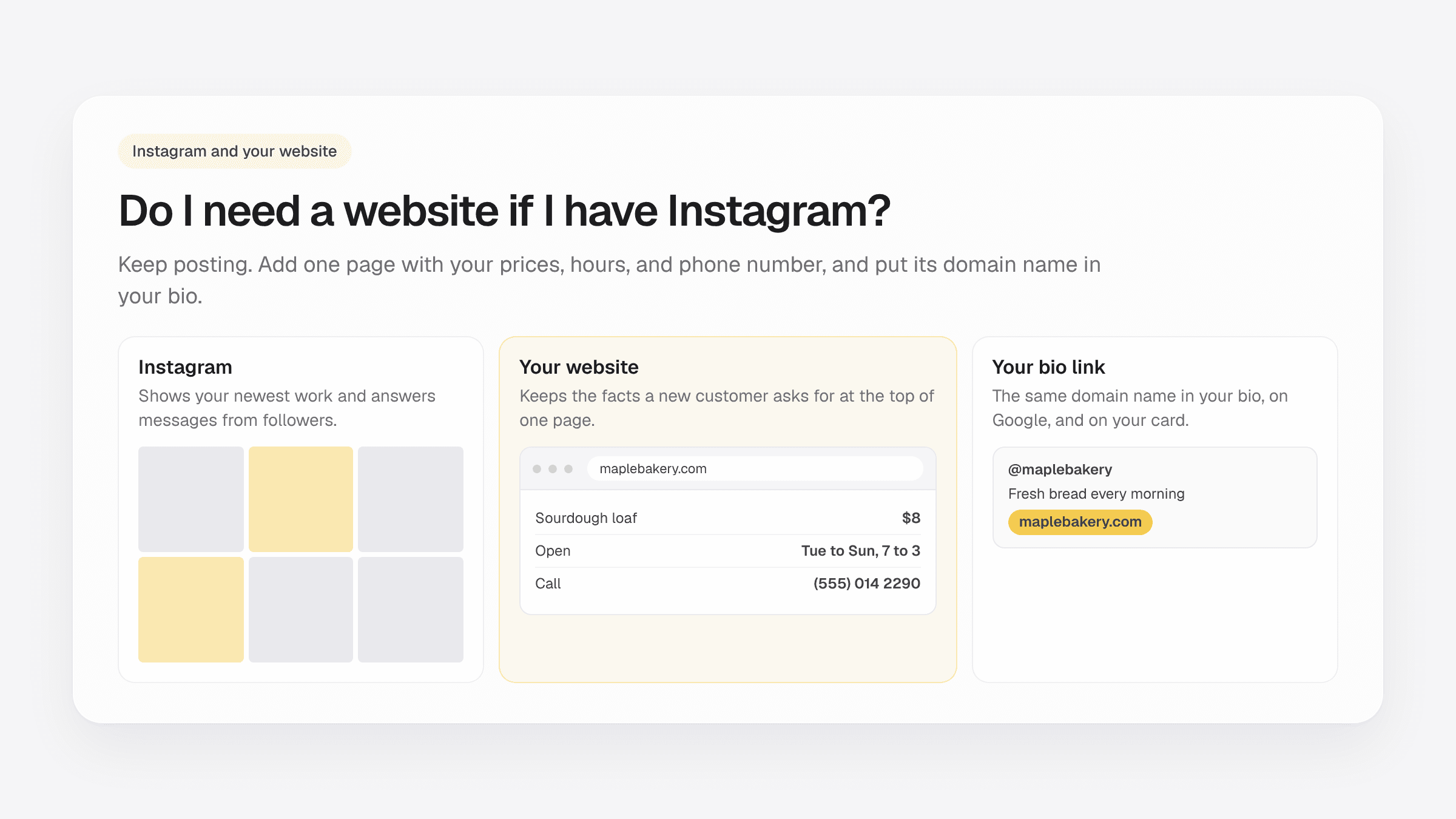
Do I need a website if I have Instagram? Yes, if new customers look you up before they call or walk in. Instagram is good at showing your latest work. A website puts your services, prices, hours, and phone number on one page that anyone can open.
Plenty of small businesses start on Instagram, and that makes sense. It is free, your regulars already follow you, and a good photo can bring in a booking the same afternoon. Keep posting. The website sits next to the account and holds the facts a stranger needs.
What to put on a one-page business website lists the blocks a small site needs. How to choose a domain name helps you pick the address that goes in your bio.
What Instagram does well
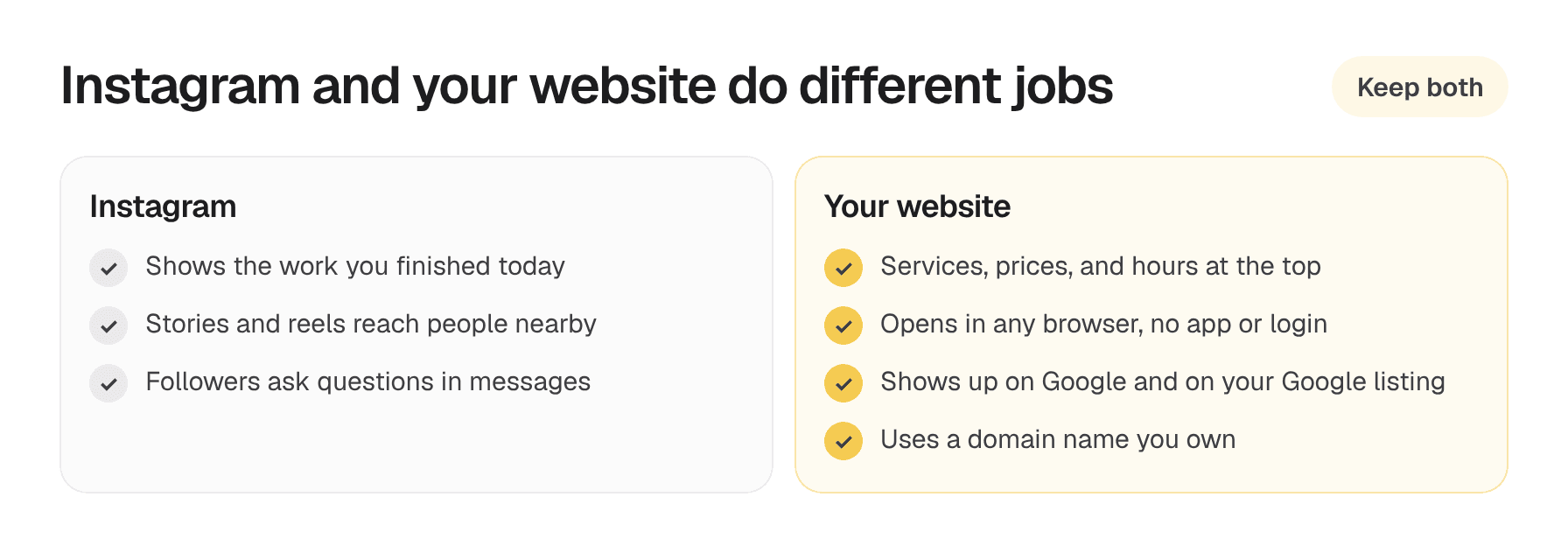
Instagram shows the work as it happens. A baker posts the bread that came out of the oven at six. A hair stylist posts a color they finished an hour ago. A landscaper posts the before and after from a yard two streets over.
Followers see those posts, and you answer their questions in direct messages. Reels and stories can also reach people nearby who have never heard of you. Keep doing all of that. The website answers a different set of questions.
Why you still need a website if you have Instagram
A new customer usually wants three things: what you do, what it costs, and how to reach you. On Instagram, those answers sit in old posts, a pinned story, or a reply you typed to someone else last month. On a website, they sit at the top of the page.
Your prices, hours, and the area you cover stay where you put them. They do not slide down the page every time you post. When someone messages to ask what a haircut costs, you can send the link and the answer is already there.
A website opens in any browser. The visitor does not need the app or an account. On a computer, Instagram asks visitors to log in after a short scroll, and some of your customers never made an account.
Google can show your website when someone searches for your service and your town. Add the website address to your Google listing too, so people who find you on the map can tap through to the page. Can a one-page website rank on Google? walks through what to put in the title.
The domain name belongs to you. You print it on your card, your van, and your invoices. If you change your Instagram handle or lose access to the account, the address on your card still opens your page.
What a bio link leaves out
Most owners put a link in the Instagram bio. Often it opens a link-in-bio page with a stack of buttons: menu, booking, reviews, a phone number. That stack works for people who already follow you. A stranger still has to guess what the business does and where it is.
Those pages usually live on the link tool's address, with the tool's name in it. That is a hard address to print on a card or say over the phone.
Point the bio link to your own website. The visitor lands on a page that says who you are, what you do, where you work, and how to book. If you take bookings or orders in another app, put that button on the website as well.
A simple setup: Instagram plus a one-page site
- Write down what new customers ask about most: your services, starting prices, hours, the area you cover, and your phone number.
- Publish a one-page website with those facts and a few of your best Instagram photos.
- Put the domain name in your Instagram bio, on your Google listing, and on your card.
- Add your Instagram handle to the website so visitors can see your newest work.
- When someone messages to ask about prices, reply with the link to the page.
Post on Instagram as often as you like. Update the website when a price, your hours, or a service changes.
OnePagey writes Intro, About, Highlights, and Contact from a short description of the business. Add the Social links block for your Instagram handle, a Gallery for your best photos, and a Price list if customers keep asking what things cost. You pick a domain name, review the draft, and publish.
Free publishes on a OnePagey address. Standard is $9.99 a month, or $99 a year ($8.25 a month), and includes the domain name while you subscribe. Premium is $14.49 a month, or $144 a year ($12 a month), and adds business email on that domain name.
Questions about plans? Visit our support page. Real people reply within one business day.
Frequently Asked Questions
Do I need a website if I have Instagram?
Yes, if new customers look you up before they call. Instagram shows your recent work. A website keeps your services, prices, hours, and phone number on one page that opens in any browser.
Is an Instagram profile enough for a small business?
It brings in people who already follow you. Someone who finds you on Google or on a card wants your services, prices, and phone number on one page, and a domain name they can type.
What should I put in my Instagram bio link?
Put your own website there. Use the same domain name you print on your card and add to your Google listing, so every link leads to the same page.
Will a website help my business show up on Google?
A website that names your service and your town can show up when a customer searches for both. Add the website address to your Google listing as well.
How do I add my Instagram to my website?
In OnePagey, add the Social links block and type your Instagram username. Visitors tap it to see your newest posts.
How much does a website cost if I already have Instagram?
OnePagey Free publishes on a OnePagey address. Standard is $9.99 a month or $99 a year and includes the domain name while you subscribe. Premium is $14.49 a month or $144 a year and adds business email.
Keep reading
More guides on getting a small business online.
- How to build a one page website
How to build a one page website: name, one sentence, contact, one button, and one photo. OnePagey turns that into the page. Pick a .com and publish.
- Wix vs Squarespace vs OnePagey for a simple business site
Wix and Squarespace are powerful, and easy to overbuy. See how they compare to a one-page AI builder when you only need a clear business presence.
- The easiest way to get your small business online in 2026
Customers still expect a .com when they search for you. See what a simple AI builder should do, why one page is enough, and how to go live with a .com this afternoon.
One-page sites by use case
If you already know the kind of work you do, start on a page written for that job.