How to choose a domain name for your small business
By the OnePagey team7 min read
Summary
- Pick a short, easy-to-spell .com that matches your business name, or gets close.
- Avoid hyphens, numbers, and clever misspellings.
- Check availability before you fall in love with a name; most owners can narrow it down in under ten minutes.
- With OnePagey, available .com suggestions appear after you describe your business, and the domain is included when you publish.
Most small business owners treat the domain name like a side quest. They spend weeks on logo ideas and then grab whatever .com is left at midnight before launch. That backwards order costs you credibility before anyone reads a single word on your site.
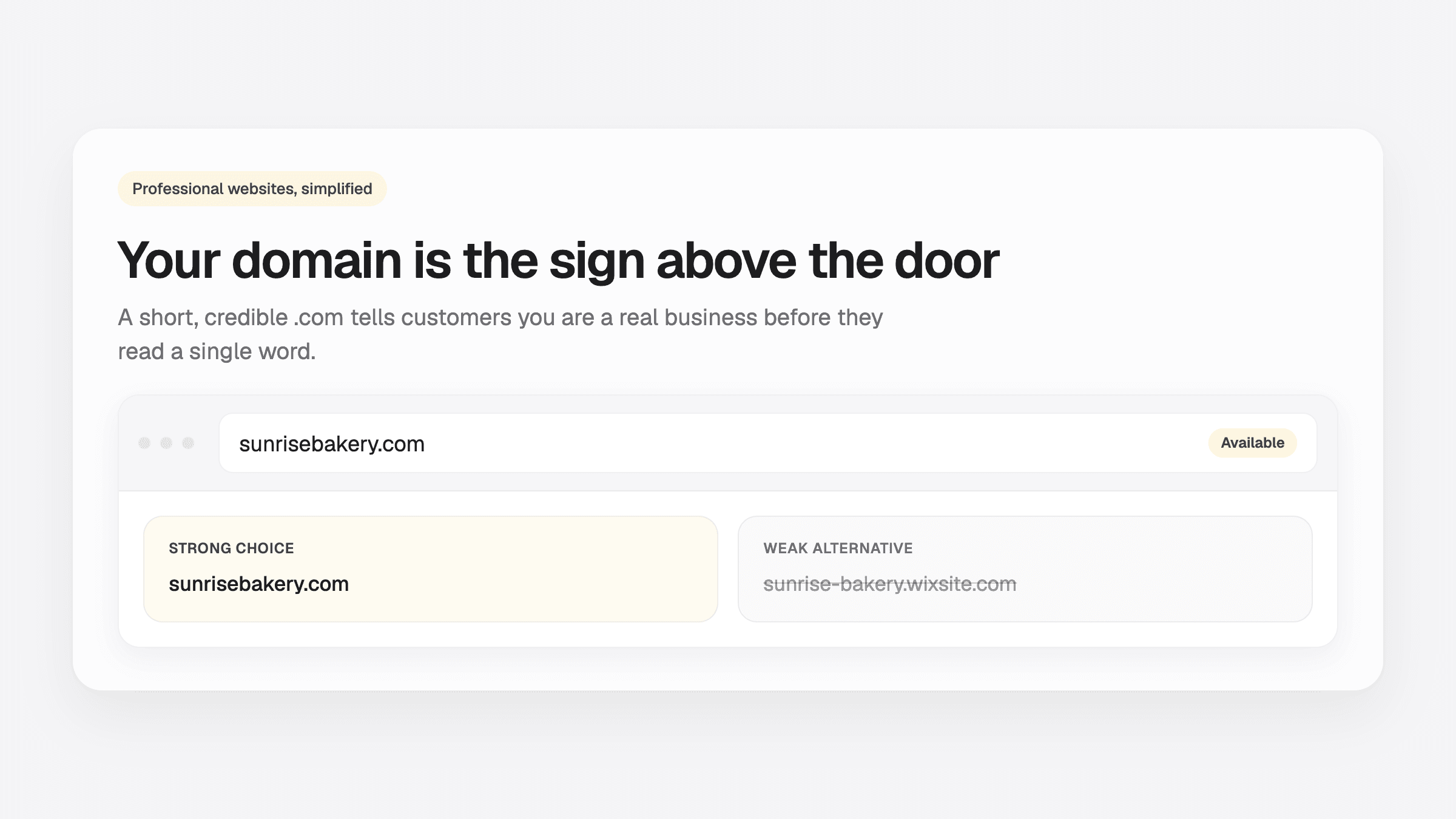
Your domain is the sign above the door. People see it in Google results, email signatures, invoices, and business cards. A clear, professional .com tells customers you are a real business. A long, hyphenated address on someone else's subdomain tells them you are still figuring things out.
Use the seven rules below to pick a .com you can say out loud, then check what is actually available before you print anything.
Why your domain name matters
Customers decide whether to trust a business in seconds. Your web address is part of that first impression.
A custom .com domain does three things a free subdomain cannot:
- It looks established.
sunrisebakery.comreads differently thansunrise-bakery.wixsite.com. The first is a business. The second is a project. - It is easier to remember and share. You say it once on the phone, write it on a receipt, paste it in an Instagram bio, and people get it right.
- It supports search over time. A clean domain on your own site builds brand recognition. You are not renting credibility from a platform's URL.
You do not need the perfect name on day one. You need a good enough name that is available, pronounceable, and yours. You can always add a second domain later if you rebrand. Most small businesses never do.
If you have not launched yet, read our guide on how to get your website online in 5 minutes. Choosing your domain is step one of that process.
7 Rules for Picking a Strong Business Domain
Use these as a checklist. You do not need to satisfy every rule, but breaking more than two is a warning sign.
1. Default to .com
For a local or national small business, .com is still the standard customers expect. It is what they type by habit.
Other extensions like .co, .net, and .shop can work if your exact .com is taken and you have a strong brand already. For a new business trying to look credible fast, .com is the safest bet.
2. Keep it short
Aim for 6 to 14 characters before the dot, excluding hyphens. Shorter is easier to say, type, and fit on a van.
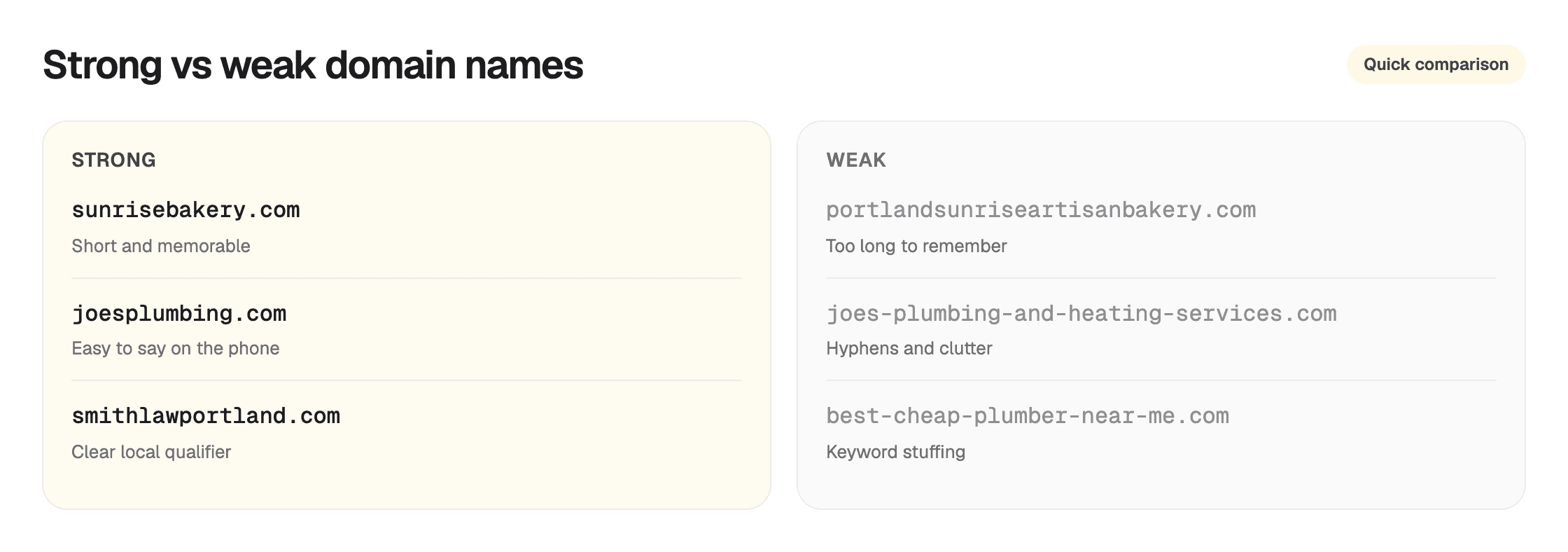
If the short version is taken, add one clear word such as your city, your trade, or shop. One extra word is enough.
3. Make it easy to spell out loud
Read the domain to someone on the phone. If you have to say “that's bakery with a k” or “double m, not single,” you will lose people.
Avoid:
- Unusual spellings (
kwik,phix,xpert) - Homophones (
wrightvsright) - Strings of consonants that blur together
4. Skip numbers when you can
sunrisebakery2.com creates friction. People forget whether you meant the numeral 2 or the word two, or whether it is bakery2 vs bakery22.
If a number is already part of your established business name, like Studio 54, keep it. Otherwise, stick to letters.
5. Match your business name, or get close
The best domain matches what is on your sign, your Google Business Profile, and your invoices. Mismatches confuse search and word-of-mouth.
If smithlaw.com is taken, smithlawportland.com or smithlegal.com can work as long as your brand on the site matches what you tell customers.
6. Think local only when it helps
Adding a city or region works for local services: austindogwalkers.com, denverroofrepair.com. It can improve clarity in search and on the phone.
It hurts when you plan to expand beyond one city or when the city name makes the domain awkwardly long. Do not lock yourself in unless locality is core to your offer.
7. Set a time limit
Domain research is one of the easiest ways to procrastinate without building anything. Give yourself 10 minutes to shortlist three options and check availability. Pick the best available name and move on to your website.
5 Domain Naming Mistakes Small Businesses Make
Waiting until the last minute
People fall in love with a business name, print materials, and then discover the .com is gone, or costs thousands from a squatter. Check availability before you commit to the name on legal paperwork if you can.
Copying a competitor too closely
joesplumbing-austin.com when Joe's Plumbing already owns joesplumbing.com invites confusion and looks opportunistic. Be distinct.
Optimizing for SEO with keyword stuffing
best-cheap-plumber-near-me-austin-tx.com looked clever in 2008. Today it looks spammy and is hard to brand. One relevant keyword is fine. A sentence is not.
Ignoring social handles (lightly)
You do not need perfect alignment on every platform, but if @sunrisebakery is taken everywhere, note it before you print packaging. The website domain matters more than Instagram, but a total mismatch causes headaches.
Overpaying for a “premium” domain on day one
Some taken names sell for hundreds or thousands. A new small business rarely needs that on launch week. Pick the best reasonably available .com and start trading. Revenue validates the brand.
How to Check If a Domain Name Is Available
Traditionally you would:
- Brainstorm 5 to 10 options
- Search each one on a registrar site
- Compare prices and renewal fees
- Buy the domain separately
- Connect the name to your site (often where non-technical owners get stuck)
That is five extra stops before anyone can open a page.
A faster path for getting online: use a website builder that checks availability as part of the setup flow. On OnePagey, you enter your business name and a short description of what you do. The platform returns a list of available .com domains tied to your business. You pick one, preview your generated site, and publish. Registration and connection are included in your plan. No separate registrar checkout.
That does not mean you should not think about naming rules above. It means you stop toggling between five browser tabs and start building.
What If Your First Choice Is Taken?
It happens to almost everyone. Work through this order:
- Try without spaces:
sunrisebakery.comvs compressing a multi-word name into one string. - Add one word: city,
shop,co, or your core service (cakes,plumbing,studio). - Use an abbreviation only if it is still obvious (
SJBakery.comfor Sunrise Bakery is weak;SRBakery.comis weaker). - Consider a different .com variant. Stay on .com first; try reordering words (
sunrisebakeryshop.com). - Move on within 10 minutes. The cost of no website exceeds the cost of a slightly imperfect domain.
Avoid paying a premium for a parked domain unless you have a specific branding reason and the budget. Pick the next available .com and publish.
How OnePagey Handles Domains (So You Do Not Have To)
OnePagey is built for owners who want a professional site without becoming part-time sysadmins. Domain setup is part of that:
- Suggestions on Step 1. After you describe your business, you see available .com options immediately.
- Custom search. If none of the suggestions fit, search for your own .com and check availability in the same screen.
- Included on Standard and Premium. Your .com is registered in your name and connected when you publish. Annual Standard is $8.25/mo billed $99. No separate domain invoice.
You still own the naming decision. The platform removes the technical steps that slow most people down after they finally pick a name.
Once your domain is set, the rest of the launch path is preview, pay, and publish. That path is covered in our 5-minute website guide.
Quick Domain Checklist Before You Commit
Before you click continue on any platform, run through this:
- Can I say it once on the phone without spelling it?
- Is it a .com (or a deliberate, defensible exception)?
- Is it under ~15 characters before the dot?
- Does it match (or clearly support) my business name?
- No hyphens, or only one?
- It is available right now?
- I am not spending more than 10 minutes on this decision?
If you checked six of seven, you are ready. Build the site.
Pick the .com and publish
Choosing a domain should take minutes, not weeks. Pick the best available .com, connect it to a site that explains what you do, and put the link where customers already look for you.
Keep reading
More guides on getting a small business online.
- Do I need a custom domain for my small business?
yourbusiness.wixsite.com works for demos. Customers prefer yourname.com. Here is when a custom domain is worth buying, and how to get one simply.
- Domain costs for U.S. small businesses: avoid a 5 to 10x renewal jump
A $2 first-year .com can renew at $22. See typical U.S. prices by ending, the fees people miss, and how to compare year two before you buy.
- Just formed your LLC? Domain + one-page site checklist
Papers are filed. People still ask for a link. Use this checklist for a .com in your name and a one-page site you can text.
One-page sites by use case
If you already know the kind of work you do, start on a page written for that job.