How to get a professional email address for your business
By the OnePagey team7 min read
Summary
- A professional email address ends in your own domain name, like info@yourbusiness.com, instead of gmail.com or yahoo.com.
- To get one, buy a domain name, pick an email provider, and create the address. Then send yourself a test.
- For the part before the @, use a role like info@ or hello@, or your first name. Keep it short and easy to spell out on the phone.
- Expect two costs: the domain name, about $11 to $23 a year for a .com, and the email plan, which most providers charge per person per month.
- OnePagey Premium includes the domain name, a one-page website, and one email address on it for $14.49 a month or $144 a year.
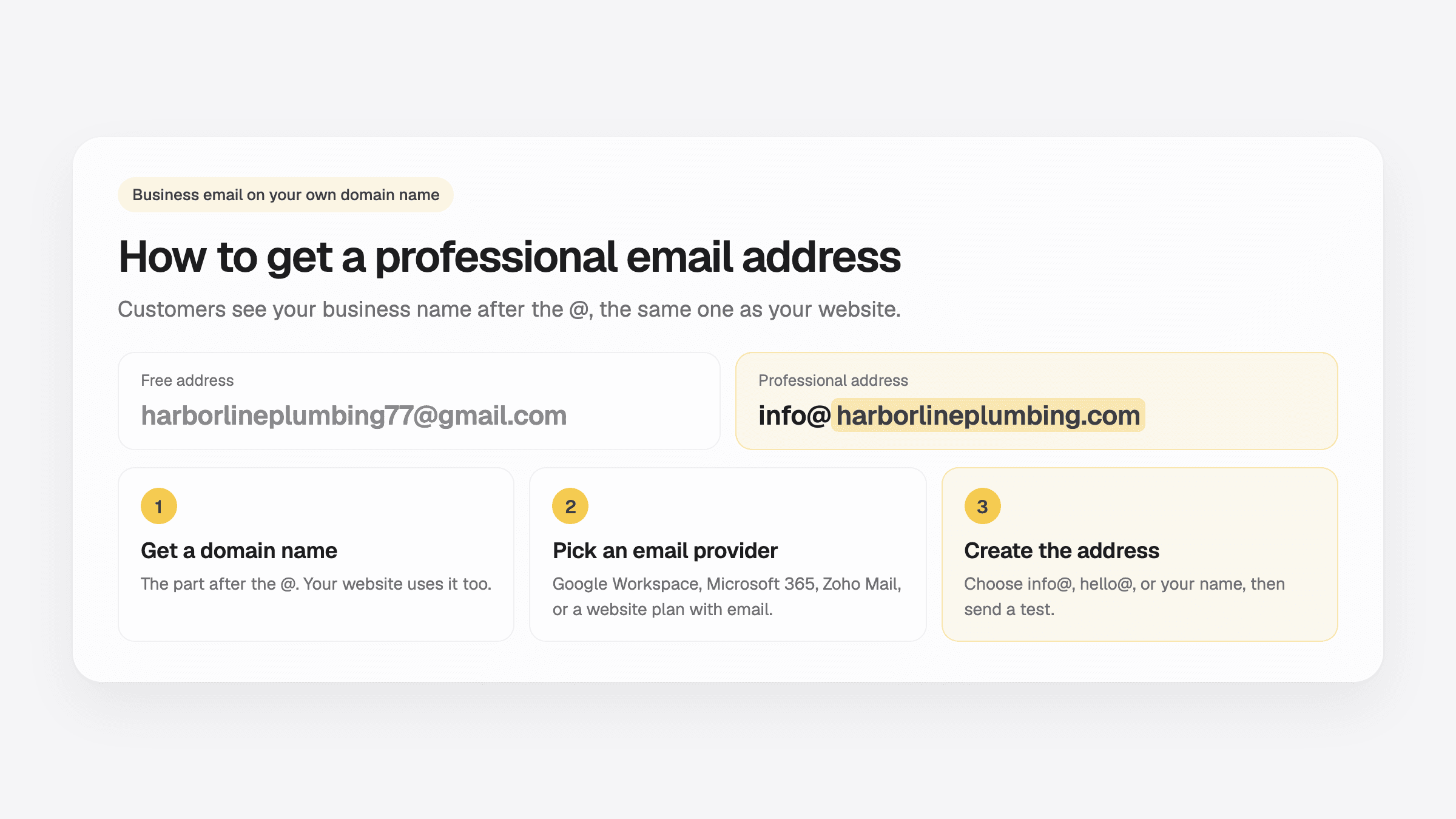
A professional email address uses your business's own domain name, such as info@harborlineplumbing.com, instead of a free address like harborlineplumbing77@gmail.com. To get one, you buy a domain name, choose an email provider, and create the address on that domain name.
Customers notice the difference. An invoice from your own domain name looks like it came from a real company, and the address matches the website on your card. Below are examples you can copy, the three setup steps, how to name the address, and what you will pay.
What is a professional email address?
An email address has two parts. Everything after the @ is the domain name. On a free account that part is gmail.com, outlook.com, or yahoo.com, and it belongs to Google, Microsoft, or Yahoo. On a professional address it is your own domain name, the same one your website uses.
The part before the @ is yours to pick. It can be a job, like bookings, or a person, like sam. Together they make an address such as bookings@sunrisebakery.com.
Professional email address examples
Most small businesses use one of four formats. Pick one for the address customers see, and keep the same format if you add people later.
| Format | Example | Good for |
|---|---|---|
| Role | info@harborlineplumbing.com | The address on your website and van |
| First name | sam@sunrisebakery.com | A one-person business that wants to sound personal |
| First and last name | maria.lopez@lopezbookkeeping.com | Firms where two people share a first name |
| Task | bookings@brightcutsalon.com | Appointments, orders, or invoices kept apart |
Other role names that read well: hello@, contact@, orders@, and billing@.
How to get a professional email address in three steps
Buy a domain name for your business, sign up with an email provider that works with your own domain name, and create the address there. The provider shows you how to connect the two, or does it for you. Then send a test message to a friend and reply to it from your phone.
- Get a domain name. This is the part after the @, and you will use it for your website too. Short and easy to say works best. Our guide on how to choose a domain name for your business walks through it.
- Pick an email provider. The common choices are Google Workspace (Gmail with your domain name), Microsoft 365 (Outlook with your domain name), Zoho Mail, or a website plan that includes email. Each one sends and receives email on your domain name. They differ in price and in the app you read it in.
- Create the address and test it. Type the name you picked before the @. Send a message to a friend, ask them to reply, and check that the reply lands. Add the account to the mail app on your phone so you see new messages.
Before you announce the new address, add a short signature with your name, your business, a phone number, and your website. Then update the places customers already look: your website, your Google listing, your invoices, and your business cards.
What to name your business email
- Say it out loud. You will read this address over the phone. If you have to spell it twice, pick a shorter one.
- Leave out numbers and nicknames. sam@ beats sam1987@, and info@ beats thebossman@.
- Use a role address for the public. If you hire someone later, info@ keeps working, and the customer never has to learn a new address.
- Keep one format. If the first person is sam@, the next one is jo@, not jo.reyes@.
How much a professional email address costs
There are two costs. The domain name is about $11 to $23 a year for a .com, depending on where you buy it and whether it is the first year or a renewal. Our post on what a .com domain costs in 2026 compares five shops.
The email plan is the second cost. Most providers charge per person, per month, and the price changes with storage and extra apps. Check the current numbers on the Google Workspace, Microsoft 365, and Zoho Mail pricing pages before you sign up. Some providers have a free plan with limits on storage or users. You still pay for the domain name.
A website plan that includes email puts everything on one bill. OnePagey Premium is $14.49 a month, or $144 a year. It registers your domain name in your name, publishes your one-page website on it, and sets up one email address on the same domain name. You choose info@, hello@, contact@, or a name of your own. You read and answer email in the Inbox in your OnePagey dashboard, with drafts, a signature, and saved replies.
Common mistakes with a business email
- Using a free address with the business name in it. harborlineplumbing77@gmail.com still says gmail.com at the end, and anyone can open a look-alike account.
- Picking a domain name that is hard to spell. Hyphens, double letters, and odd spellings cause typos, and a typo sends the customer's email nowhere.
- Letting the domain name expire. Email on that domain name stops when it lapses. Turn on auto-renew and keep the card on file current.
- Keeping the old address on your cards. Change the address everywhere at once, and keep checking the old inbox for a few months.
- Sending without a signature. A customer who wants to call you should find the number at the bottom of your email.
Want to see what Premium includes before you choose? The business email page shows the inbox and the steps. Questions about your domain name or email? Visit our support page. Real people reply within one business day.
Frequently Asked Questions
What is a professional email address?
It is an email address that ends in your own business domain name, like info@yourbusiness.com, instead of gmail.com, outlook.com, or yahoo.com. It uses the same domain name as your website.
What is an example of a professional email address?
info@harborlineplumbing.com, sam@sunrisebakery.com, and bookings@brightcutsalon.com are all professional addresses. Each one starts with a role or a first name and ends with the business's own domain name.
Can I get a professional email address for free?
The domain name always costs money, about $11 to $23 a year for a .com. Some email providers have a free plan with limits on storage or users. Free Gmail and Outlook accounts end in gmail.com or outlook.com, so they cannot use your domain name.
Can I use Gmail with my own domain name?
Yes, through Google Workspace, which is a paid plan. You keep the Gmail app you know, and your address ends in your own domain name.
Should my business email be info@ or my name?
Use a role address like info@ or hello@ for the address on your website and cards, because it keeps working if you hire someone. A one-person business can use a first name if it wants to sound personal.
Do I need a website to get a business email?
No. You only need a domain name and an email plan. Most owners use the same domain name for both, so customers see one name on the website and in the inbox.
Keep reading
More guides on getting a small business online.
- How to choose a domain name for your small business
Your domain is the sign above the door. Learn seven rules to pick a short, credible .com, skip common mistakes, and check what is actually available in under ten minutes.
- Do I need a custom domain for my small business?
yourbusiness.wixsite.com works for demos. Customers prefer yourname.com. Here is when a custom domain is worth buying, and how to get one simply.
- Domain costs for U.S. small businesses: avoid a 5 to 10x renewal jump
A $2 first-year .com can renew at $22. See typical U.S. prices by ending, the fees people miss, and how to compare year two before you buy.
One-page sites by use case
If you already know the kind of work you do, start on a page written for that job.